Cargado×Tai + Descartes
Integration partner

Integrated Mexico and Canada capacity in Tai TMS

Connect Tai TMS (Tai + Descartes) to Cargado's marketplace of 2,300+ vetted carriers in Mexico and Canada. Post loads under your rules, get carrier bids back in Tai, and confirm covered loads in Cargado Chat.
Cargado and Tai: Less clicking. More moving. Meatball, the Cargado dog, wearing a Tai cap
How it works

How the Cargado and Tai TMS integration works

Follow one Mexico shipment from Monterrey to Chattanooga, from saved in Tai to confirmed in Cargado Chat.

Example shipment · Truckload 131500042
Monterrey, NLE → Chattanooga, TN
Dry van · Laredo, TX crossing
  1. Saved in TaiSynced to Cargado
  2. Ready for coverageVisible to carriers
  3. Carrier bidUSD 3,900
  4. Countered by your rate rulesUSD 3,800
  5. Selected in TaiCarrier accepted USD 3,800
  6. Confirmed in chatTruck, trailer, crossing partner
1 · From Tai to Cargado

Your rules decide what posts

Shipments sync when you save them in Tai. Your posting rules decide which reach the marketplace and which stay with your dedicated or preferred carriers. Only Committed shipments are eligible.

Watch this part · 0:08
Tai confirmation that truckload 131500042 was saved and is syncing to Cargado
2 · Bidding in Cargado

Carriers price each leg

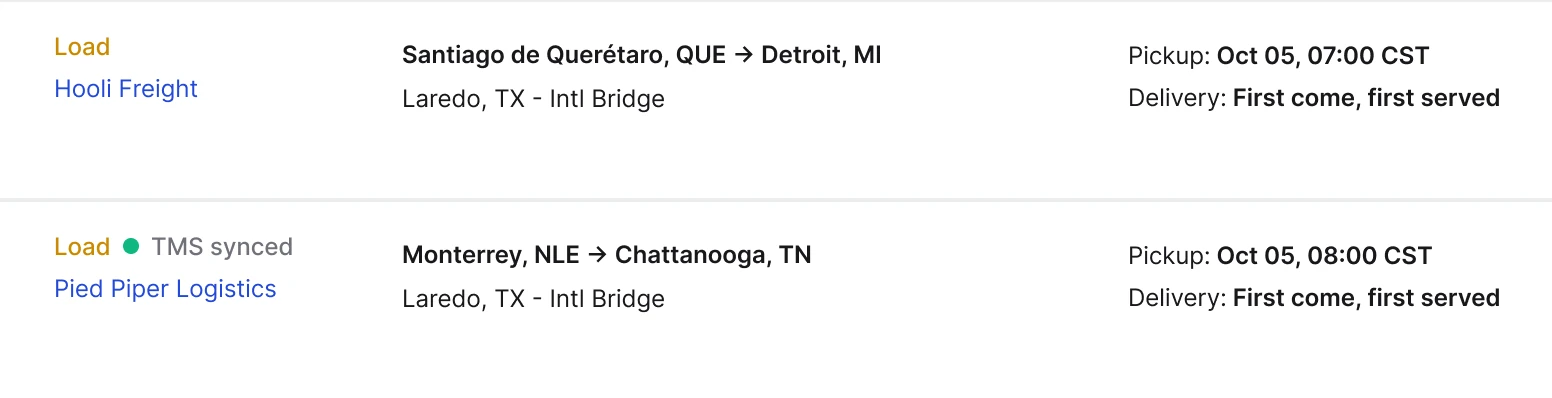
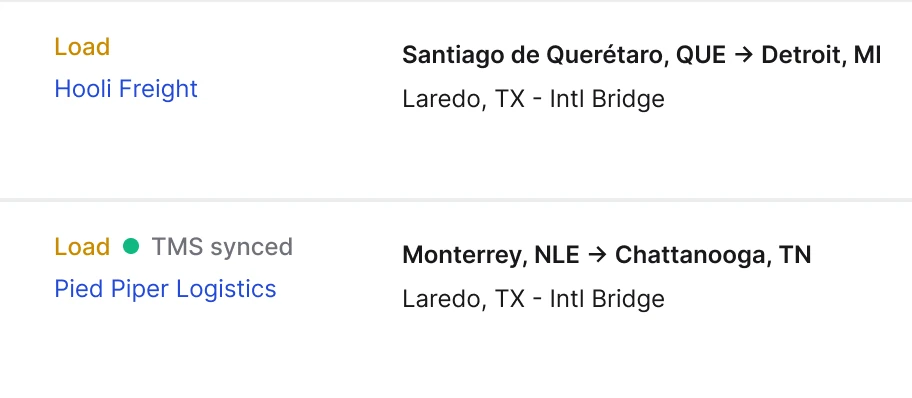
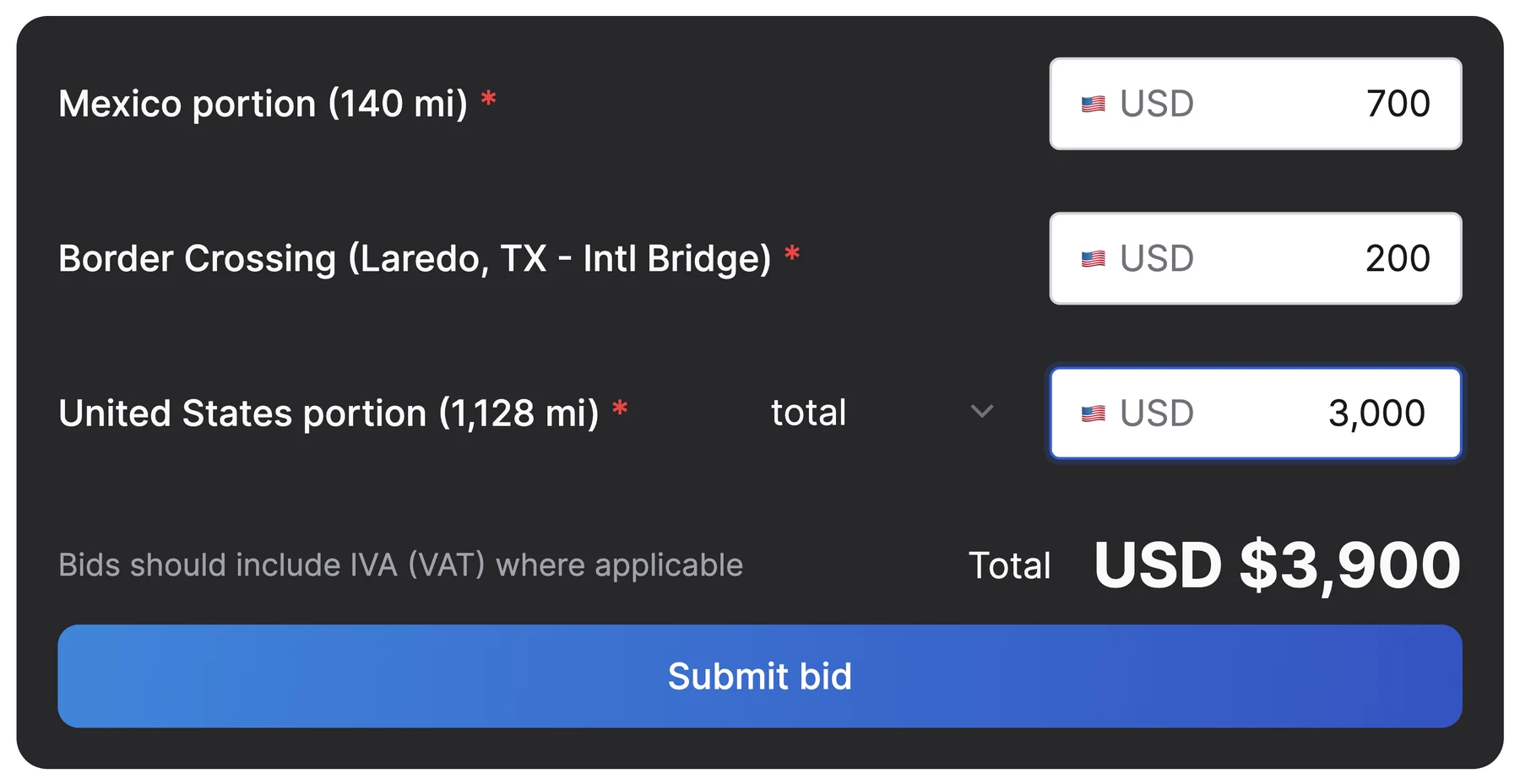
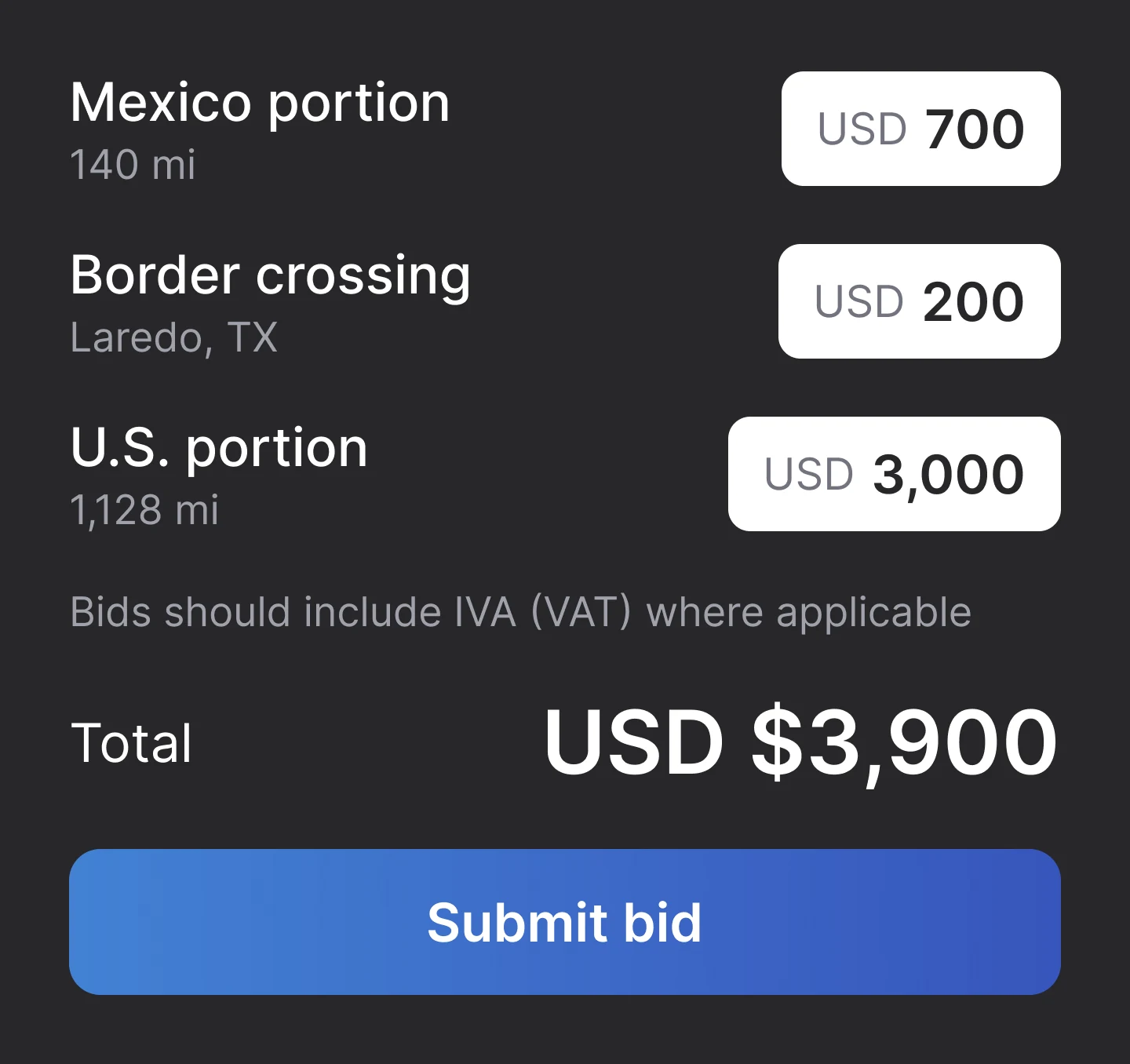
Posted Tai loads show a TMS synced tag on the Cargado marketplace. On this Mexico shipment, carriers bid on the Mexico portion, the border crossing and the U.S. portion.

Watch this part · 0:30
Two loads on the Cargado marketplace as carriers see them: a Trakas Logistics load from Santiago de Querétaro to Detroit, and a Pied Piper Logistics load from Monterrey, NLE to Chattanooga, TN tagged TMS synced, both via Laredo with pickup Oct 05Two loads on the Cargado marketplace: a Trakas Logistics load to Detroit, and a Pied Piper Logistics load from Monterrey, NLE to Chattanooga, TN tagged TMS synced
Cargado bid form with separate prices for the Mexico portion, the Laredo border crossing and the United States portion, totaling USD 3,900Cargado bid form: Mexico portion USD 700, border crossing USD 200, U.S. portion USD 3,000, total USD 3,900
3 · Bids return to Tai

Your rate rules counter automatically

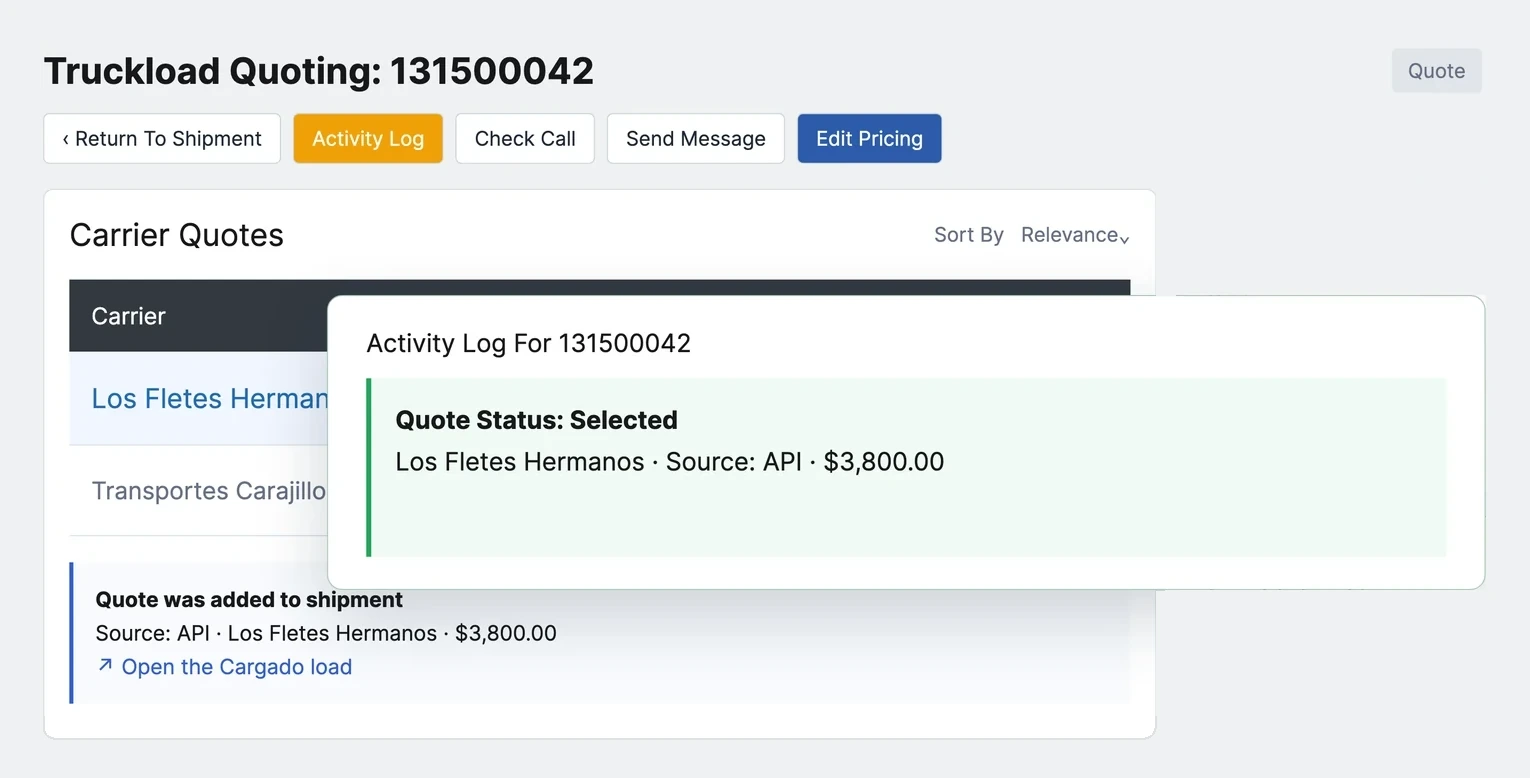
Carrier bids appear as Active carrier quotes on the shipment in Tai. Your rate rules counter, and when the carrier accepts, the carrier quote is marked Selected. Your team can still send the rate confirmation.

Watch this part · 0:34
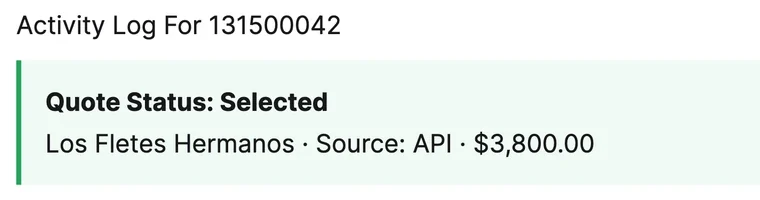
Tai Carrier Quotes on truckload 131500042 with the activity log open: quote status selected, Los Fletes Hermanos, source API, USD 3,800Tai activity log: quote status selected, Los Fletes Hermanos, source API, USD 3,800
4 · Confirmed in Cargado Chat

Confirm the truck in one chat

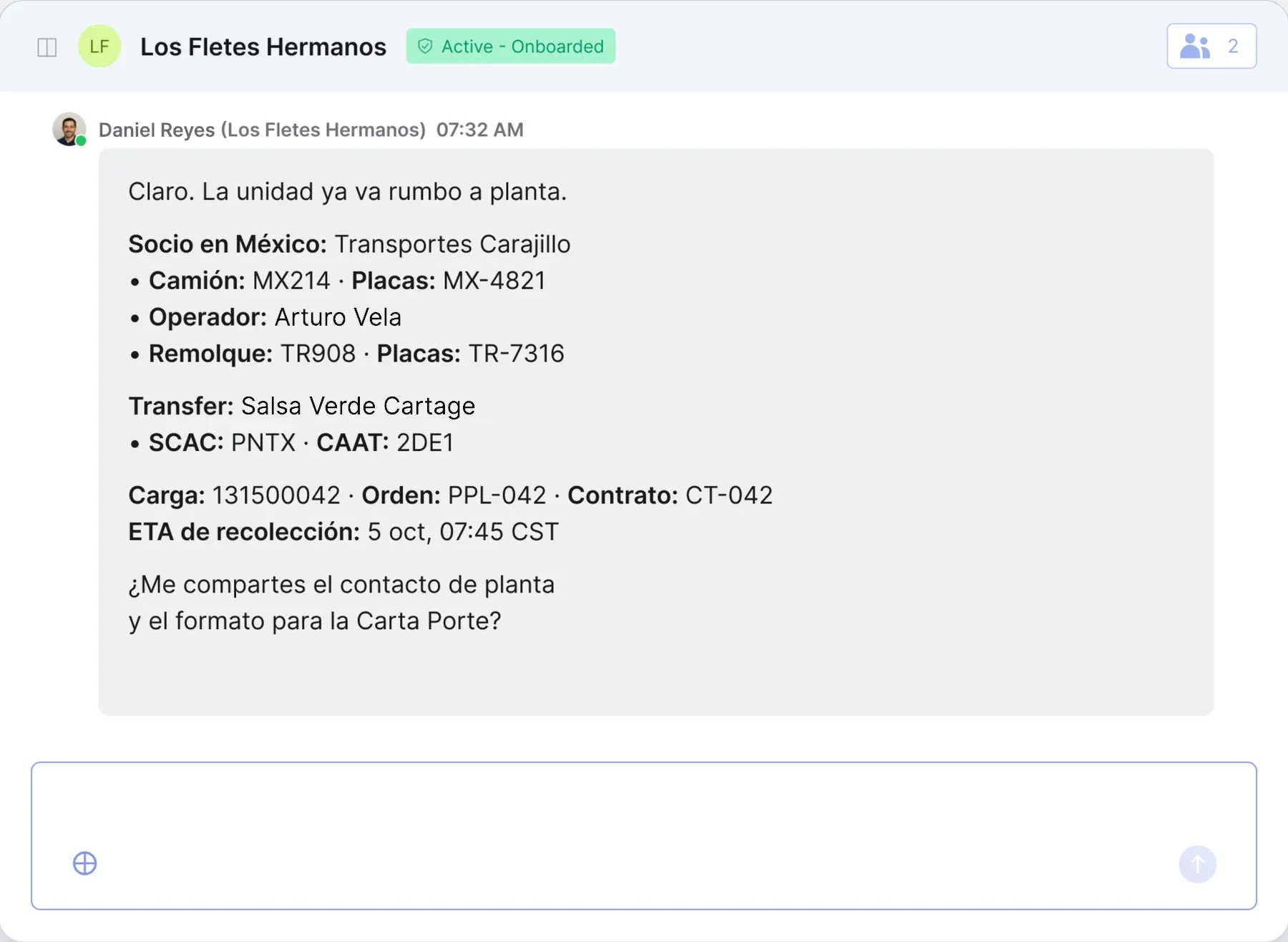
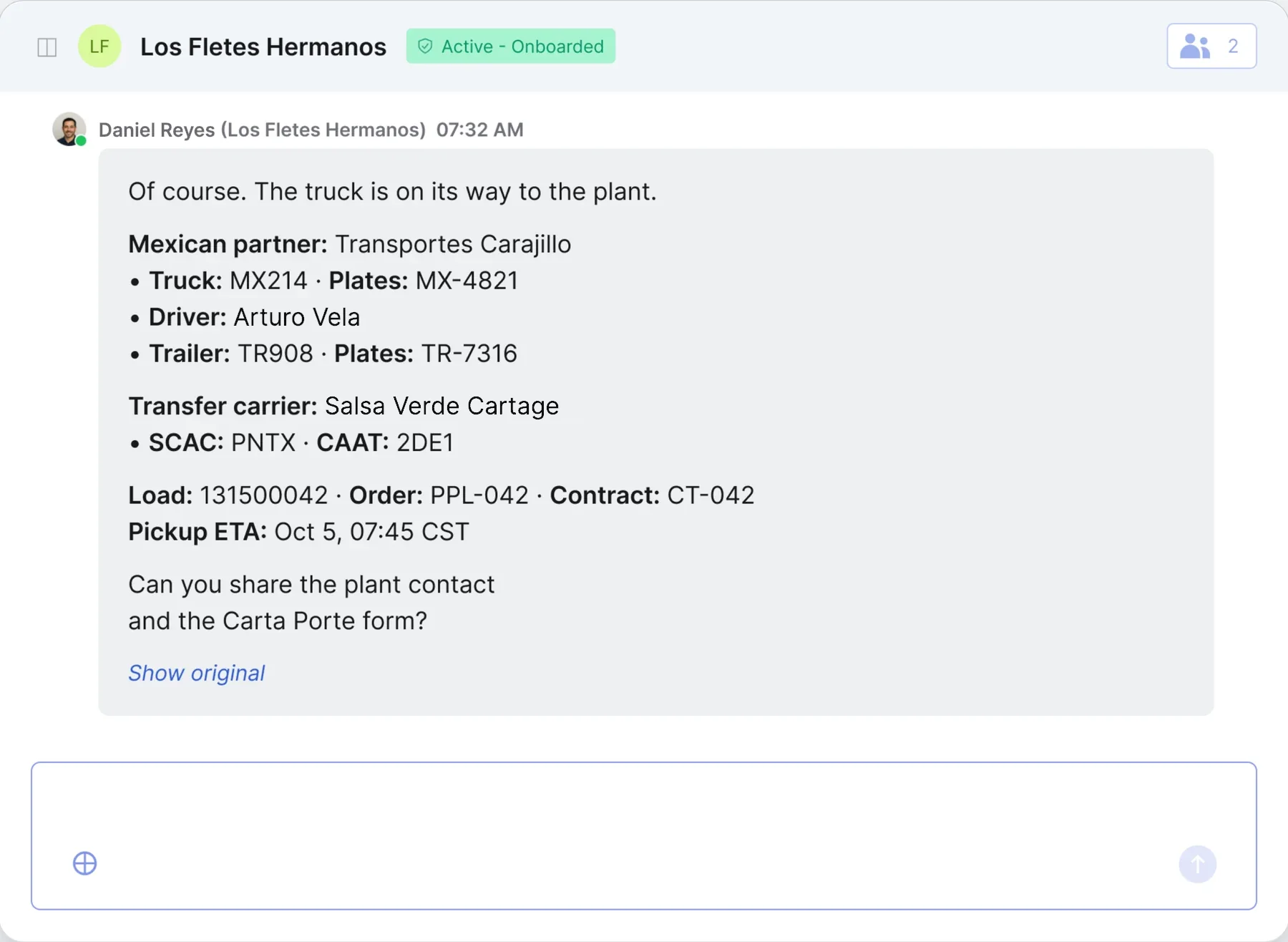
Once the load is covered, the match opens in Cargado Chat. Confirm the Mexican partner carrier, truck, trailer, crossing partner and pickup time in one thread. Carriers get WhatsApp and email notifications, and Chat translates between English and Spanish.

Watch this part · 1:11
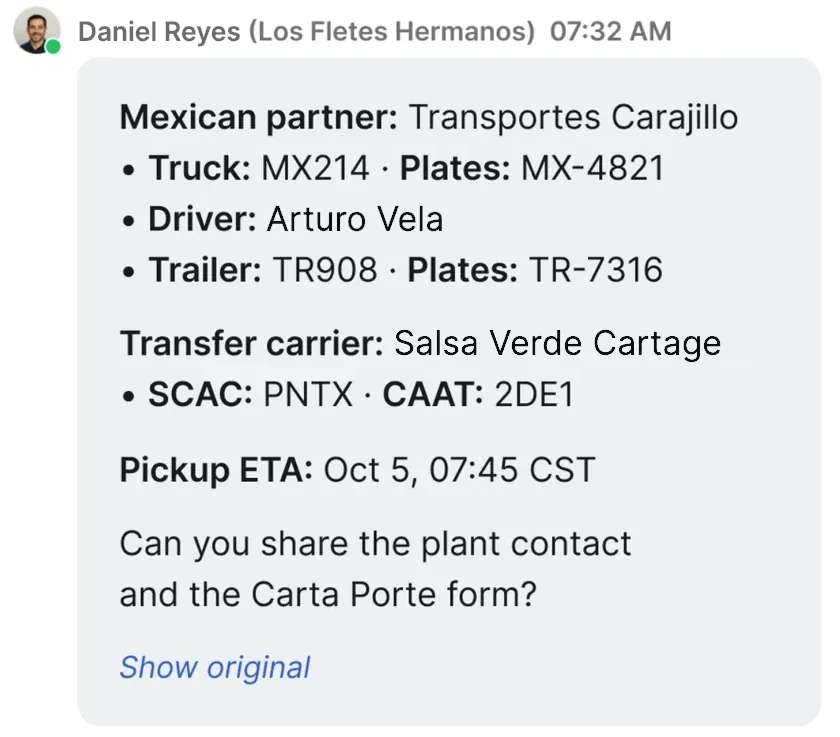
Carrier reply in Spanish with the Mexican partner carrier, truck, trailer, driver and crossing partnerThe carrier's reply translated into English: Of course. The truck is on its way to the plant. Mexican partner Transportes Carajillo, truck MX214, driver Diego Torres, trailer TR908. Transfer carrier Puente Norte Transfer. Load 131500042, pickup ETA October 5 at 7:45 CST. Can you share the plant contact and the Carta Porte form?
Carrier reply translated into English: Mexican partner Transportes Carajillo, truck MX214, driver Diego Torres, trailer TR908; transfer carrier Puente Norte Transfer; pickup ETA Oct 5 at 07:45 CST
Book a demo
Carrier Sync

Carrier compliance status syncs to Cargado

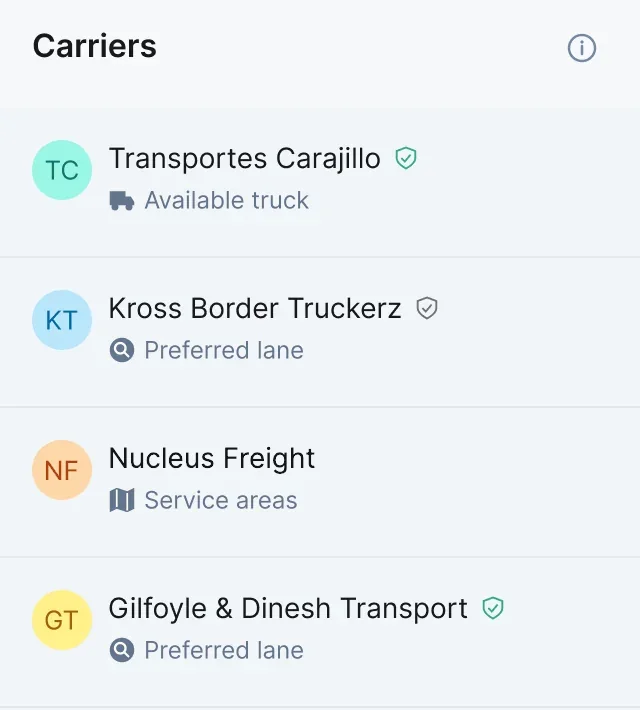
Carrier Sync brings each carrier's compliance status into Cargado, so only carriers who pass your onboarding can be assigned your freight. It also suggests carriers for each load by available truck, preferred lane and service area.
Active - OnboardedEligible for assignment
Active - Can onboardCan see your freight, but must finish your onboarding before assignment
Do not dispatchNever sees your freight
Carriers panel on the posted load: Transportes Carajillo suggested for an available truck, Kross Border Truckerz for a preferred lane, SEAZ Trucking for service areas, Gilfoyle & Dinesh Transport for a preferred laneCarriers panel on the posted load: Transportes Carajillo for an available truck, Kross Border Truckerz for a preferred lane, SEAZ Trucking for service areas

Set up the integration with our team

Requires a Cargado subscription. The setup call takes about 30 minutes.

1Create a Tai API keyFrom a Tai staff user you create for Cargado, so you control what the integration can reach.
2Connect shipment updatesRegister the Cargado webhook under Integration Sources so shipment events reach Cargado.
3Turn on shipment and carrier matchingTwo Tai reports match your shipments and carriers across both systems.
Read the setup guide

Tai TMS integration questions

Does every shipment in Tai get posted to Cargado?
No. Shipments sync automatically, but nothing posts until you or your posting rules publish it. Shipments in Quote stay on hold; only Committed shipments are eligible.
Does carrier compliance status sync to Cargado?
Yes. Do not dispatch carriers never see your postings. Carriers marked Active - Can onboard can still see them unless your requirements exclude them, and they get your onboarding link and must finish before they can be assigned. Active - Onboarded carriers can be assigned.
How do carrier bids show up in Tai?
A bid creates an Active carrier quote on the shipment at the carrier's rate. If your rate is below the carrier's bid, a counter bid is immediately presented to the carrier and logged as a carrier quote in Tai. When the carrier accepts, the carrier quote is marked Selected. If the carrier edits the bid, a new carrier quote replaces the old one, which expires. If they withdraw, the carrier quote expires.
Do I still send the rate confirmation?
You can. Automation posts freight, brings bids into Tai and sends counter bids; your team sends the rate confirmation when you want a person to check the match.
What does setup require from my team?
A Tai staff user for Cargado with the permissions we list, its API key, a webhook under Integration Sources, and two reports. The setup call takes about 30 minutes, and we finish any remaining steps with you afterward. Then you set your posting rules and freight starts reaching carriers.
What language does the carrier chat work in?
Carriers get WhatsApp and email notifications and write in their own language. Chat translates between English and Spanish in the same conversation.
Do I need to be a Cargado customer already?
You need a Cargado subscription to use the integration. Book a demo and we'll walk you through the marketplace and the Tai integration before you commit.
Do shipments posted from Tai count toward my plan's postings?
Yes. Each shipment posted from Tai counts as a posting on your plan. We size the plan to your expected volume.
Can I set posting rules by equipment type?
Yes. Rules can use lane and equipment type, so dry van and flatbed on the same lane can follow different rules.

See how Cargado fits your Tai workflow

Walk through posting rules, carrier bids and chat with our team.

Book a demo