
Post your trucks on Cargado
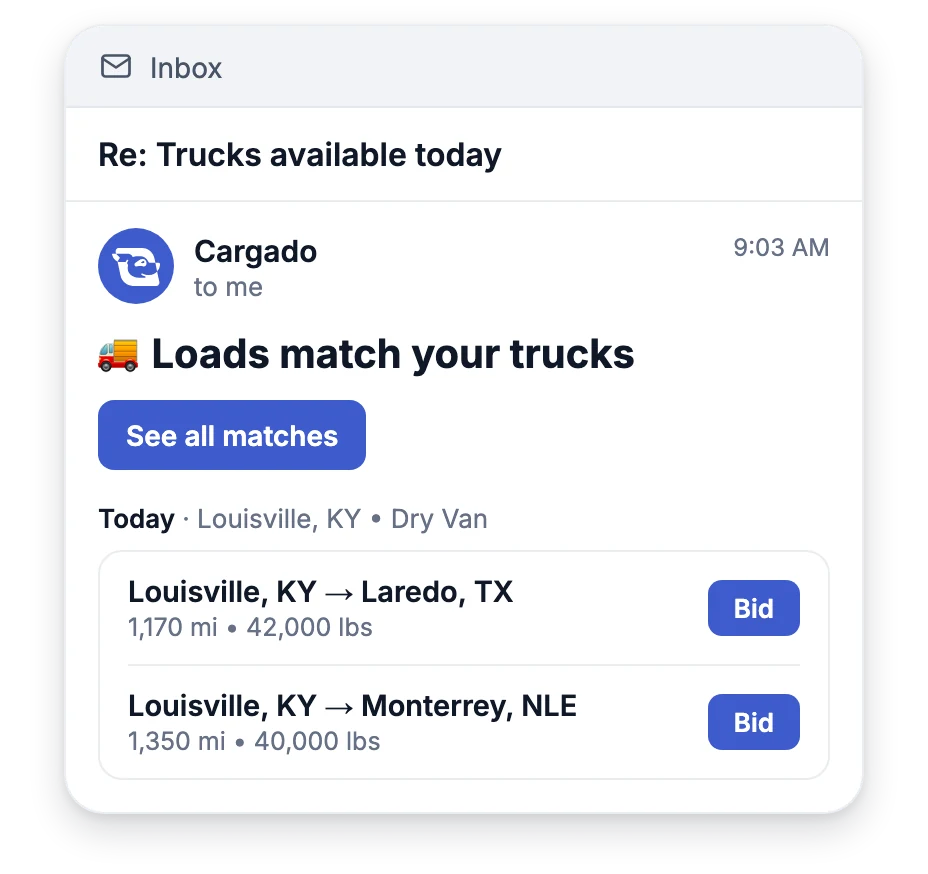
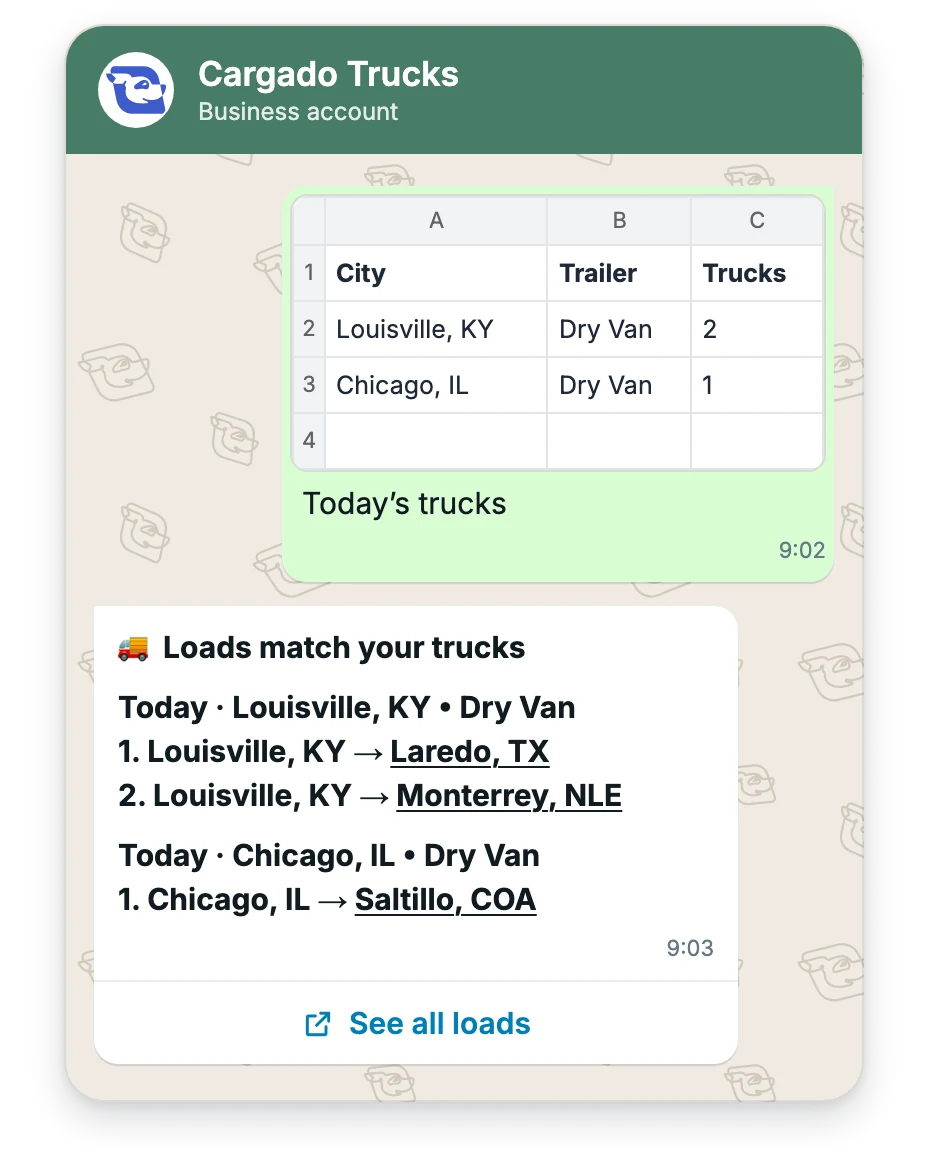
Send your truck list by email or WhatsApp, or post it in the app. Tell us where each truck is headed, and we send only loads going your way.
New to Cargado?
Sign up first. Cargado is free for carriers in Mexico, the U.S. and Canada.
Sign up freeWe reply with loads that fit, usually within a minute, the same way you sent the list.
See it in 0:55
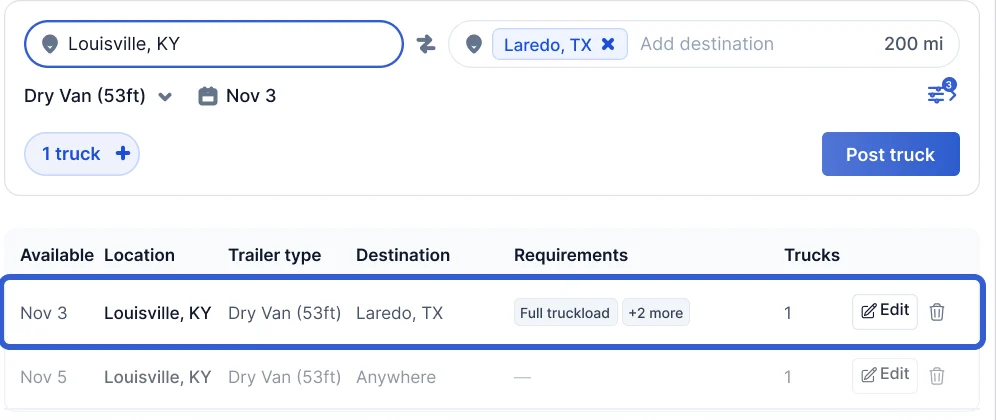
Send your truck list by email, WhatsApp or the app, and get loads that fit.
Includes English captions. Open the video file (MP4, 0:55)
Same locations every week?
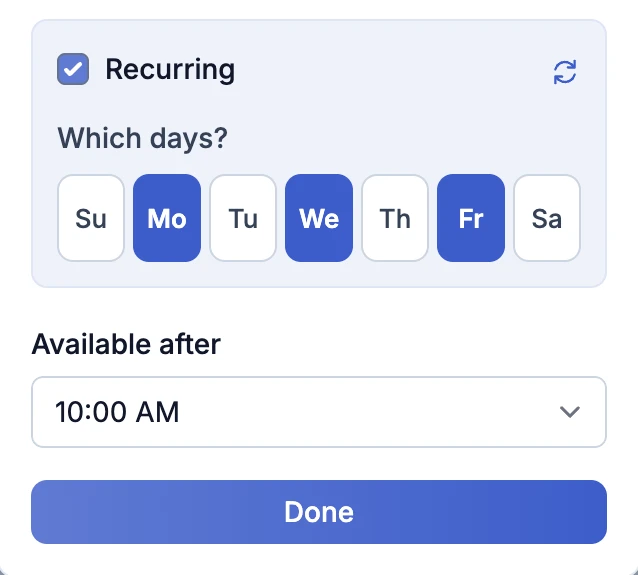
If you have recurring trucks, say which days when you send your trucks by email or WhatsApp, or set up Recurring in the app. We'll look for loads for those trucks on those days, every week.
In the app, check Recurring when you post the truck, then pick the days under Which days? Under Posted Trucks, the truck then reads like Every M, W, F.
Three ways to post your trucks
Use the one you already use for your truck list.
Send your list to trucks@cargado.com.
- Write to trucks@cargado.com.
- Type or paste the list in the body of the email. Attachments aren't read. Each new emailed list replaces your last one.
- Read our reply in the same inbox, usually within a minute.
Sending a new list? Send a new email instead of replying to ours. A reply to our email goes to our carrier team and isn't read as a list.
Monday
Louisville, KY: 2 dry vans to Laredo, TX
Lexington, KY: 1 reefer to Mexico
Message Cargado Trucks at +1 (956) 539-3145.
- Message Cargado Trucks at +1 (956) 539-3145.
- Type your truck list, or send a photo or screenshot of it. Send the whole list in one message. Each new WhatsApp list replaces your last one.
- Read our reply. It usually comes within a minute, with any loads that fit.

Cargado Trucks
+1 (956) 539-3145
Scan with your phone's camera to open the chat.
In the app
Post a truck and see the loads that fit it.
- Log in and open Find Freight. Under Posted Trucks in the blue sidebar, click Post. The Post a truck window opens.
- Type the city where the truck is. For where it's headed, add one place or several, or keep your company's Service Area.
- Choose the trailer type and the day it's free. Click + if you have more than one truck there. Same days every week? Check Recurring and pick the days.
- Need a border crossing or special requirements? Add them under More filters.
- Click Post and Search to post the truck and see loads that fit.
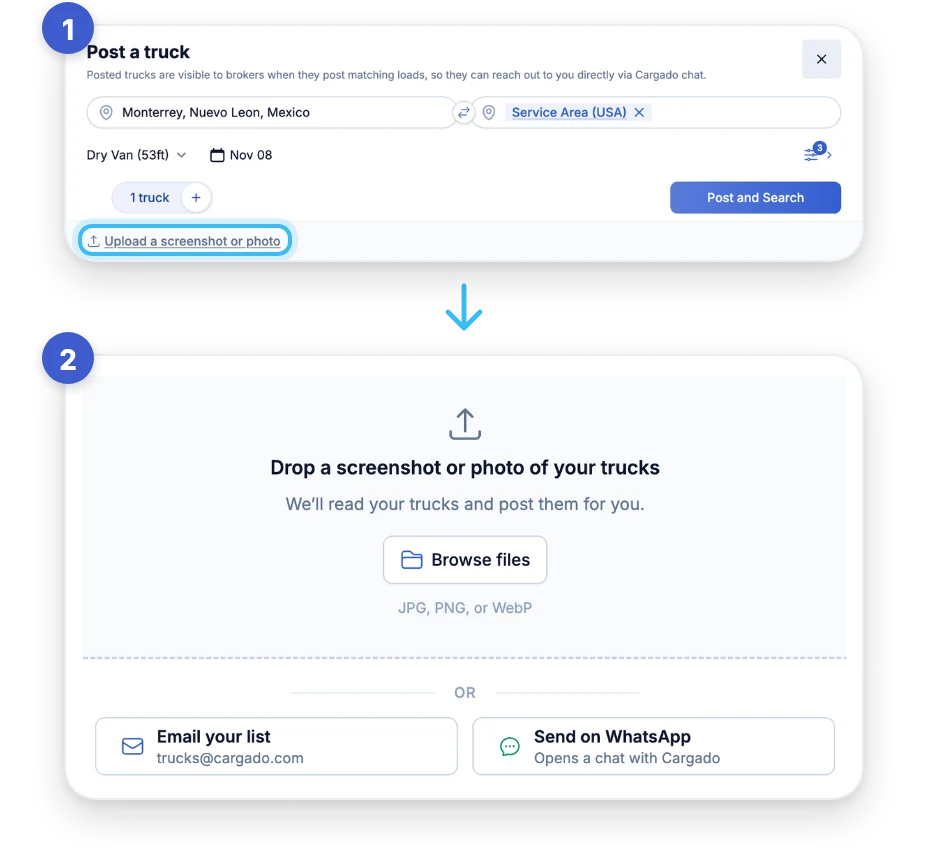
Upload a screenshot or photo
Skip the typing. Post your trucks from a screenshot or photo of your list.
- In the Post a truck window, click Upload a screenshot or photo.
- Drop a screenshot or photo of your trucks (JPG, PNG or WebP), or click Browse files.
- We read your trucks and post them. When you see Nice work!, click Done. Your trucks show under Posted Trucks.
The same window also lets you email your list or send it on WhatsApp.
What to put in your list
Write it the way you already send it to logistics companies. For each truck, say:
- The day it's free, like Monday.
- Where it's empty: the city and state, like Louisville, KY.
- The trailer type. If you leave it out, we post it as a dry van (53ft).
- How many trucks, if more than one.
- Where it's headed: one place or several. Name a city, a state or a whole country. We send only loads going your way.
- Same locations every week? Say the days, like every Monday and Thursday.
A line with no place or no day is skipped. Need a border crossing or special requirements? Set them on the truck in the app, under More filters. Changes you make in the app to a truck from a list last until your next list sent the same way replaces it.
What happens after you send it
We post your trucks
They show under Posted Trucks in the app. Logistics companies see a truck when they have a load that fits, and can reach you in Cargado chat. We don't post your number.
We reply with any loads that fit
Usually within a minute, the same way you sent the list. Open the loads in Cargado and bid on what works.
No match yet? Your trucks stay posted.
When a load going your way is posted later, we let you know by email or WhatsApp. Choose how in Settings, then Notifications, then Truck list.
Questions carriers ask
Does it cost anything?
No. Cargado is free for carriers in Mexico, the U.S. and Canada.
Do I need a Cargado account?
Yes, you need an active Cargado carrier account. Sign up free, then send your list.
Can I send a photo or screenshot of my list?
Yes, on WhatsApp or in the app. On WhatsApp, type the list or send a photo or screenshot of it. In the app, click Upload a screenshot or photo in the Post a truck window. By email, type or paste the list in the body; attachments aren't read.
Can a truck go to more than one destination?
Yes. In the app, add one place or several where the truck is headed, plus border crossings and special requirements under More filters. In a list, name a city, a state or a whole country.
Who can see my trucks?
Logistics companies see a posted truck when they have a load that fits, and can reach you in Cargado chat. We don't post your number.
What if no loads match?
Your trucks stay posted. When a load going your way is posted later, we let you know by email or WhatsApp.
What if I have the same locations every week?
If you have recurring trucks, say which days when you send your trucks by email or WhatsApp, or set up Recurring in the app. We'll look for loads for those trucks on those days, every week.
How do I change or remove a truck?
In the app, open the truck under Posted Trucks and click Edit, or the trash icon to remove it. A new list replaces your last list sent the same way, including any changes you made in the app to trucks from that list. Trucks you posted yourself in the app stay.
Send us your next truck list
New to Cargado? Sign up free first. Already on Cargado? Send your list by email or on WhatsApp, or post in the app.
Step by step: How to send us your truck list and How do I post an empty truck?