
Your commercial references: what counts and how to fix one
Who you can list as a reference, what to enter, and what to do when a reference does not answer or cannot be used.
Before your company can bid, our team checks three commercial references. A commercial reference is a company you have hauled freight for. You add them in the last step of your profile setup, under References. All the steps to get approved are in Get approved as a carrier.
Why we ask
References are companies that can confirm your reliability and service quality. Our team contacts each one before it approves your company.
Who counts as a reference
Under Company Type, choose one of three:
- Broker/3PL: a logistics company you have hauled loads for.
- Shipper: a company whose freight you moved for it directly.
- Freight Forwarder: a forwarder that booked you for a move.
Other carriers and trucking companies do not count. A factoring company you work with can be a reference. An insurance company or a dispatch service cannot. Each reference has to be a different company, and none can be your own.
What to enter
Choose Add Reference and fill in:
- Company Name and Company Type.
- Contact First Name and Contact Last Name: the person you work with there.
- Contact Email: that person's own work email.
- Contact Phone Number: optional. Add an Ext. if they have one.
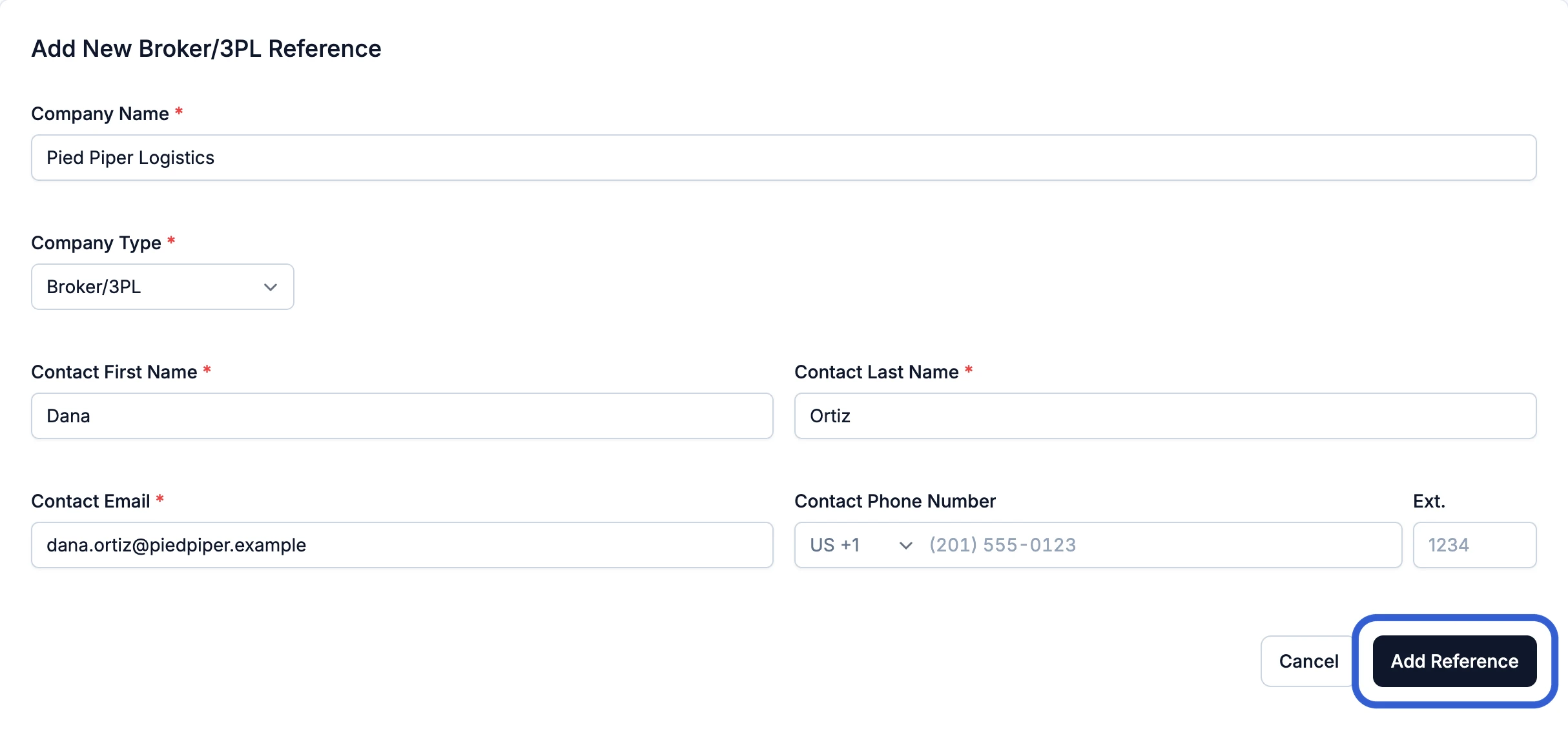
Use a work email. Personal addresses such as Gmail or Hotmail, and shared inboxes such as dispatch@ or info@, cannot be used as a reference.
Pick someone who knows your work and answers email. The form stops you if the email or phone number matches your own, if the email uses your company's own email domain, or if the email, phone number, email domain or company name is already on another of your references.
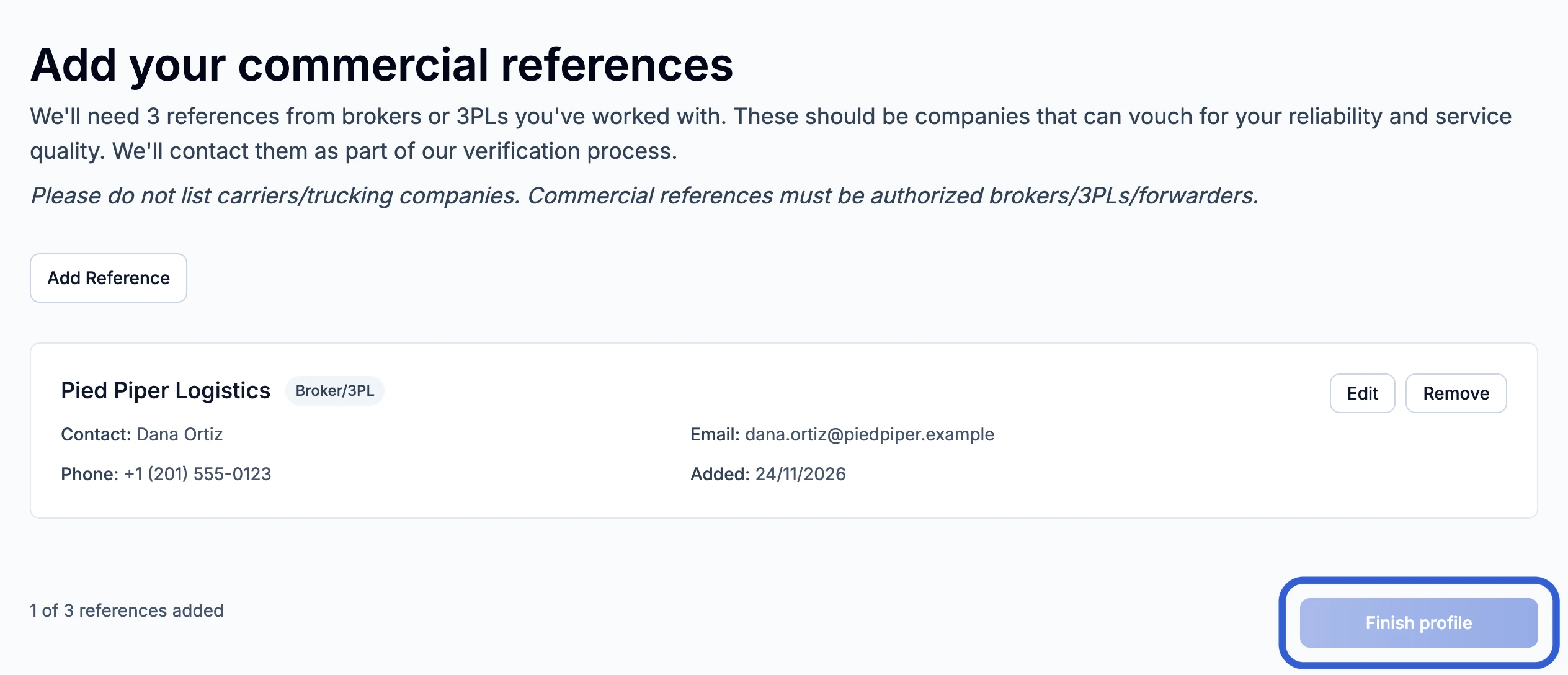
Finish profile unlocks once the third reference is added.
After you add them
Our team contacts each reference and asks about your work. Tell your contacts we will reach out, and ask them to reply. Our team usually finishes checking references within 1 to 2 business days.
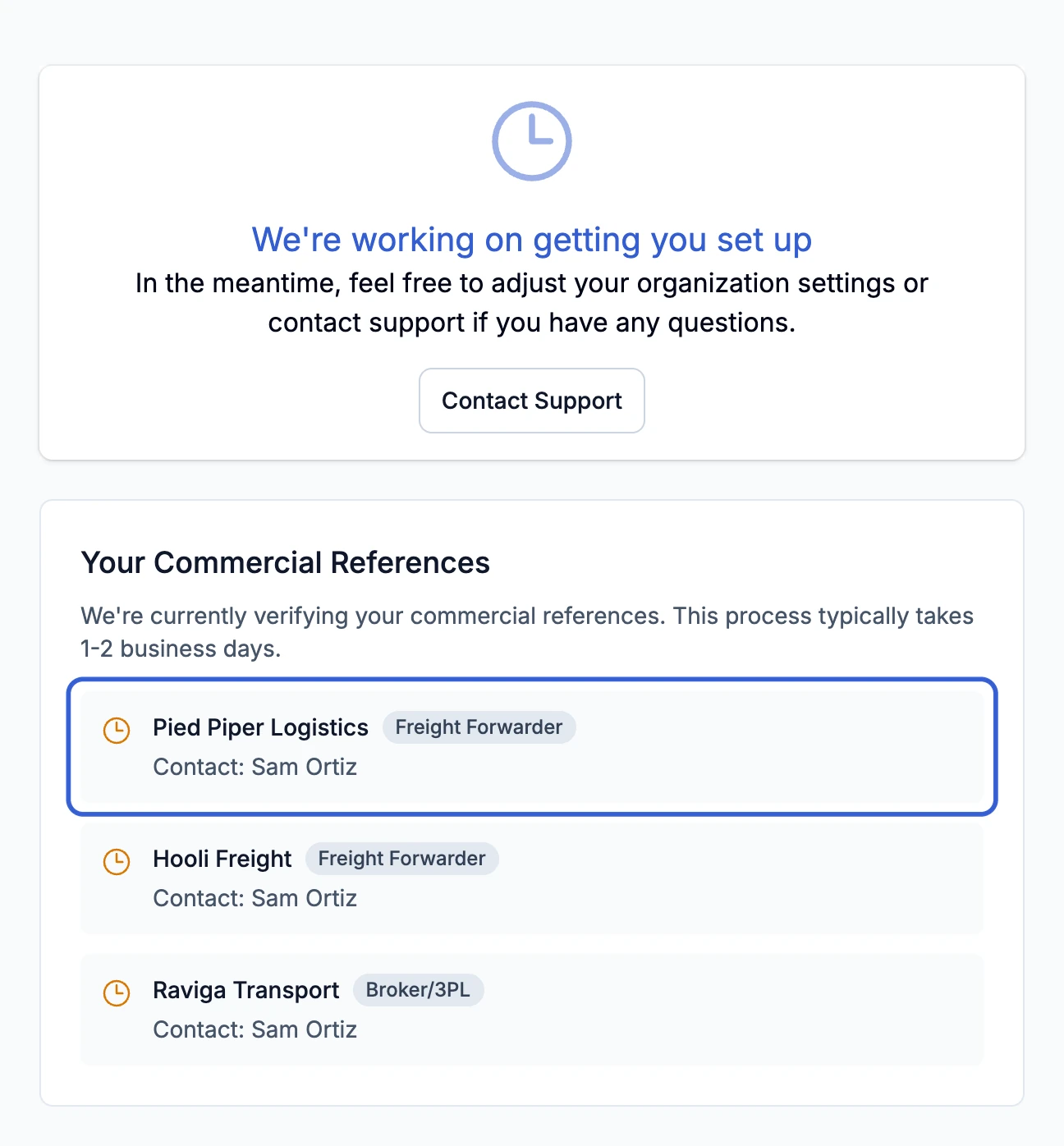
Until your company is approved, signing in shows We're working on getting you set up, with your references listed under Your Commercial References. A clock next to a reference means we have not finished checking it. A check mark means we have finished checking it, whether or not it could be used.
If a reference does not answer
- Ask your contact to look for our email, including in spam.
- Go to app.cargado.com/profile/references. If we could not reach the contact, Edit still shows on that reference. Change the contact or the email, then choose Update Reference.
If a reference cannot be used
Sometimes a reference cannot be used, for example when the email bounces or the contact has left the company. We email each reference twice. If a reference still does not answer or cannot be used, we email the person who applied and ask for a different one. Once we have finished checking a reference, you cannot edit or remove it in the app. To replace a reference we have checked, email carriers@cargado.com with the new company's name and type, and the contact's name and email.
Good to know
- Three is the limit in the app: once three references are added, Add Reference goes away. To swap one, choose Remove if it shows on that reference, then add the new one. If only Edit shows, change the contact on that reference instead.
- Joining a company that is already approved: there are no references to add. See What happens after you apply.
Questions? Email carriers@cargado.com with your company name and the number you applied with.
Still stuck?
Email us and a person on our team will answer. Send the posting link or a screenshot if you have one.