
Which trucks and trailers does Cargado support?
The trailer types Cargado supports in each country, what is not supported yet, and where to set yours so the board shows freight that fits.
Cargado sorts trailer types into four groups: Dry Van, Temperature Controlled, Open Deck and Straight/Box Truck. The types you can pick depend on the country your company is based in. Set yours once, and the board shows freight that fits your trucks first.
The trailer types
- Dry Van: Dry Van (53ft), Dry Van (48ft), Dry Van Double (LCV) and Dry Van Triple (LCV). Carriers based in Canada also have Dry Van Multi-axle (Tridem, Quad).
- Temperature Controlled: Reefer, Reefer Double (LCV) and Heated. Carriers based in Canada also have Reefer Multi-axle (Tridem, Quad) and Heated Multi-axle (Tridem, Quad).
- Open Deck: Flatbed (53ft), Flatbed (48ft), Flatbed Double (LCV), Stepdeck, Double Drop / Lowboy, RGN, Conestoga, Stepdeck Conestoga and Double Drop Conestoga. Carriers based in Canada also have Flatbed Multi-axle.
- Straight/Box Truck, U.S. and Canada: Straight/Box Truck Dry and Straight/Box Truck Reefer.
- Straight/Box Truck, Mexico: Torton, Rabon, 0.5 Ton, 1 Ton, 1.5 Ton, 3.5 Ton and 4.5 Ton Rabon.
Is my truck on the list?
- Box truck: yes. In the U.S. or Canada, pick Straight/Box Truck Dry, or Straight/Box Truck Reefer if it is refrigerated. In Mexico, pick the size you run, such as Rabon or Torton.
- Torton and rabon: yes, for carriers based in Mexico. On the posting form, logistics companies can pick them only for loads that stay inside Mexico.
- Reefer, flatbed, stepdeck, lowboy, RGN, conestoga: yes. See the lists above.
- Power only: yes, but it is not a trailer type. Check Power Only under the special load types on Operations, then click Save.
- Cargo van or sprinter: no. Cargado has no type for it yet.
- Car carrier: no. Cargado has no type for it yet.
- Curtain side: no. Cargado has no type for it yet.
- Open-deck torton, rabon or ton truck (plataforma, redilas): no. The Mexico straight-truck types can't be marked as open deck yet.
- Tanker, container chassis, hopper, hotshot or dump truck: no. Cargado has no type for these.
Run something that is not on the list? Email carriers@cargado.com and tell us what you have.
Step 1: Add your trailers on Operations
Click your initials. Under Organization, click Operations. Under Number of Trailers, enter how many you have of each type. The types are grouped as in the list above. Then click Save at the bottom of the page. Only people who can edit your company profile can change it.
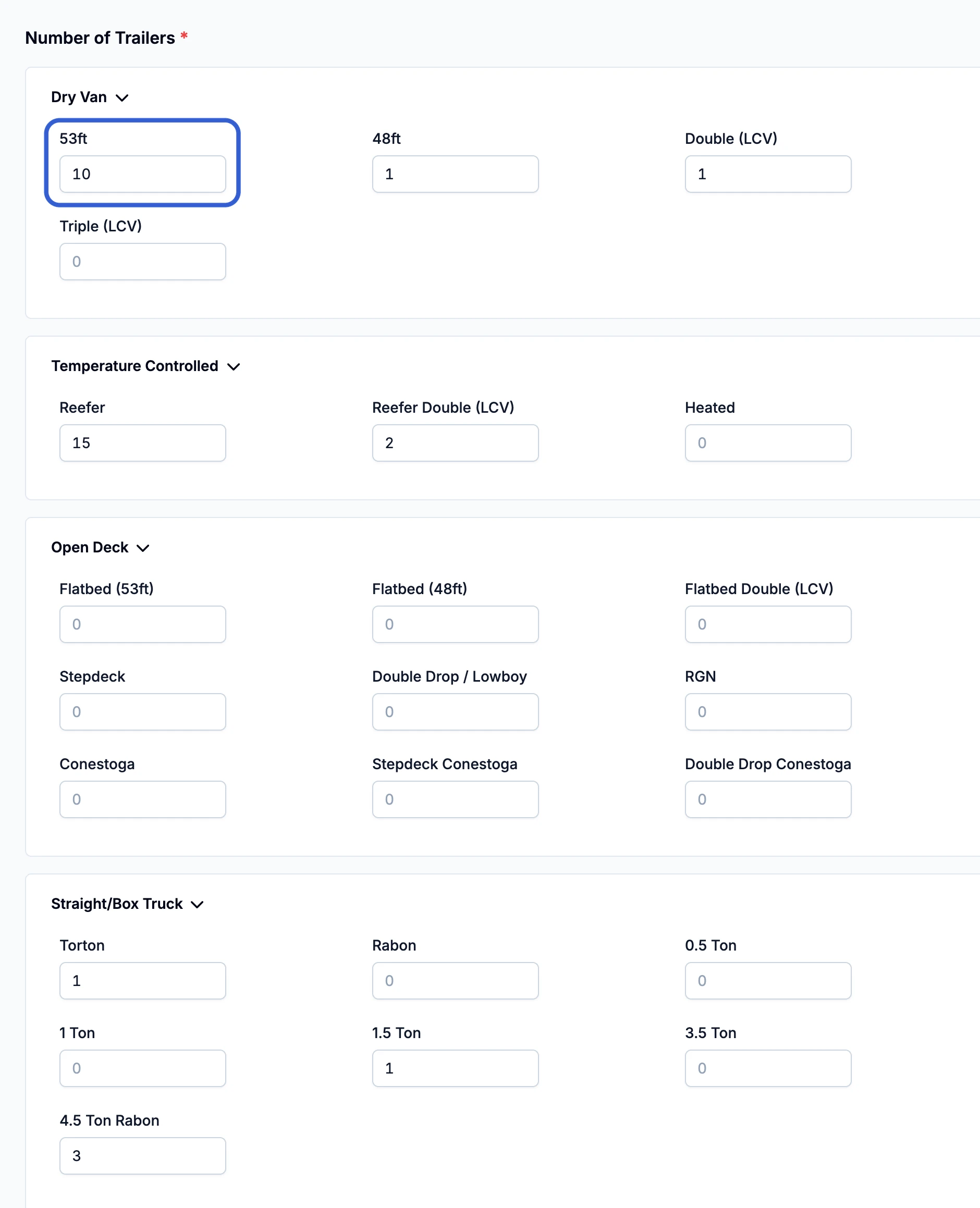
Tip: If you are still in the first setup, this is the Operations step. See How do I set up my company profile so the board shows the right freight?
Step 2: Pick the trailer types you want to see
On the Load board, click the sliders icon at the right end of the search bar. The Set your personal freight preferences window opens. Under Trailer types, pick the ones you want on your board. Then click Confirm and view load board. This is your own setting. Your teammates set theirs.
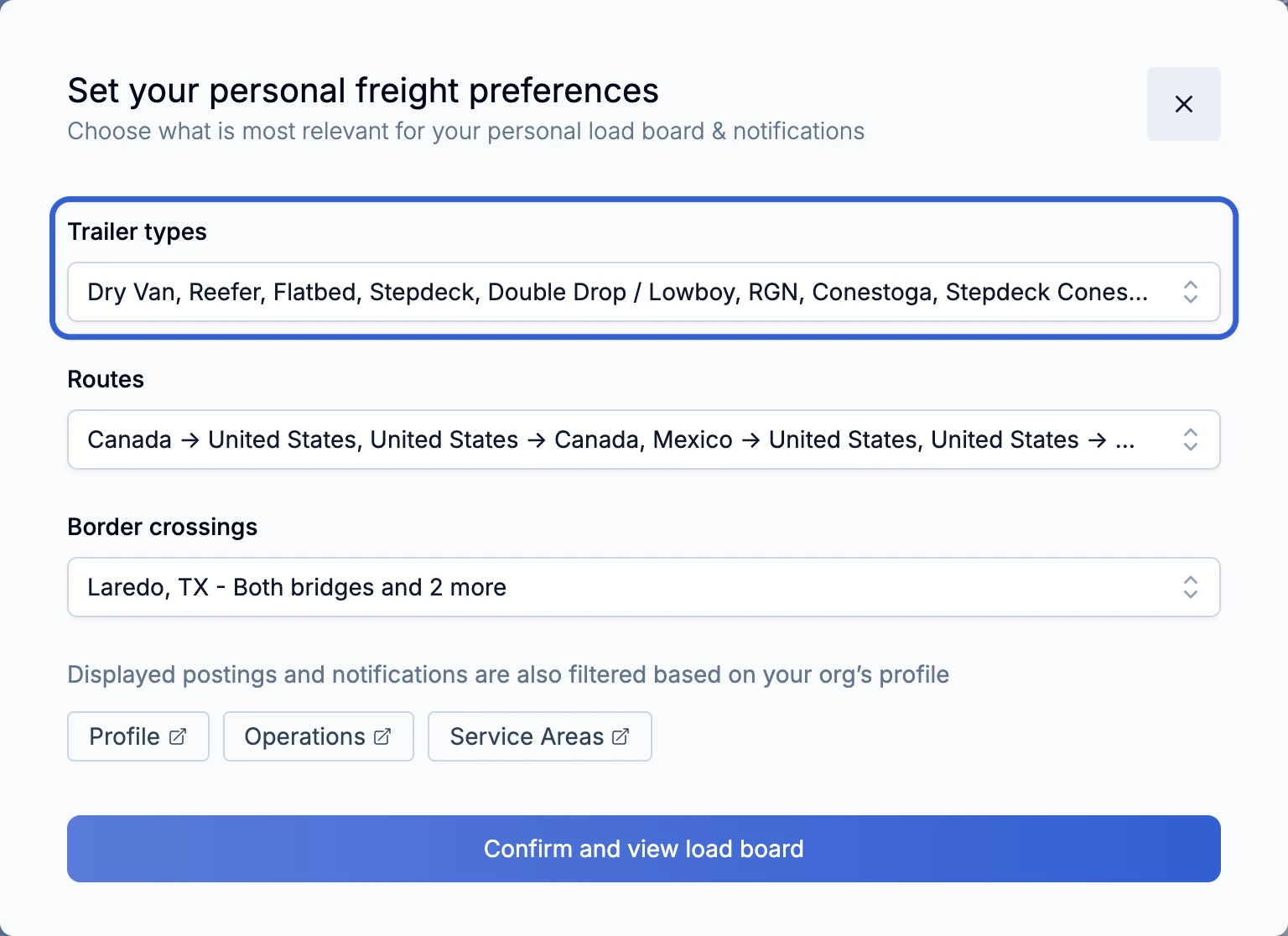
- Trailer types: the trailers you want to see.
- Routes: the routes you run.
- Border crossings: shown when your company runs Mexico and another country.
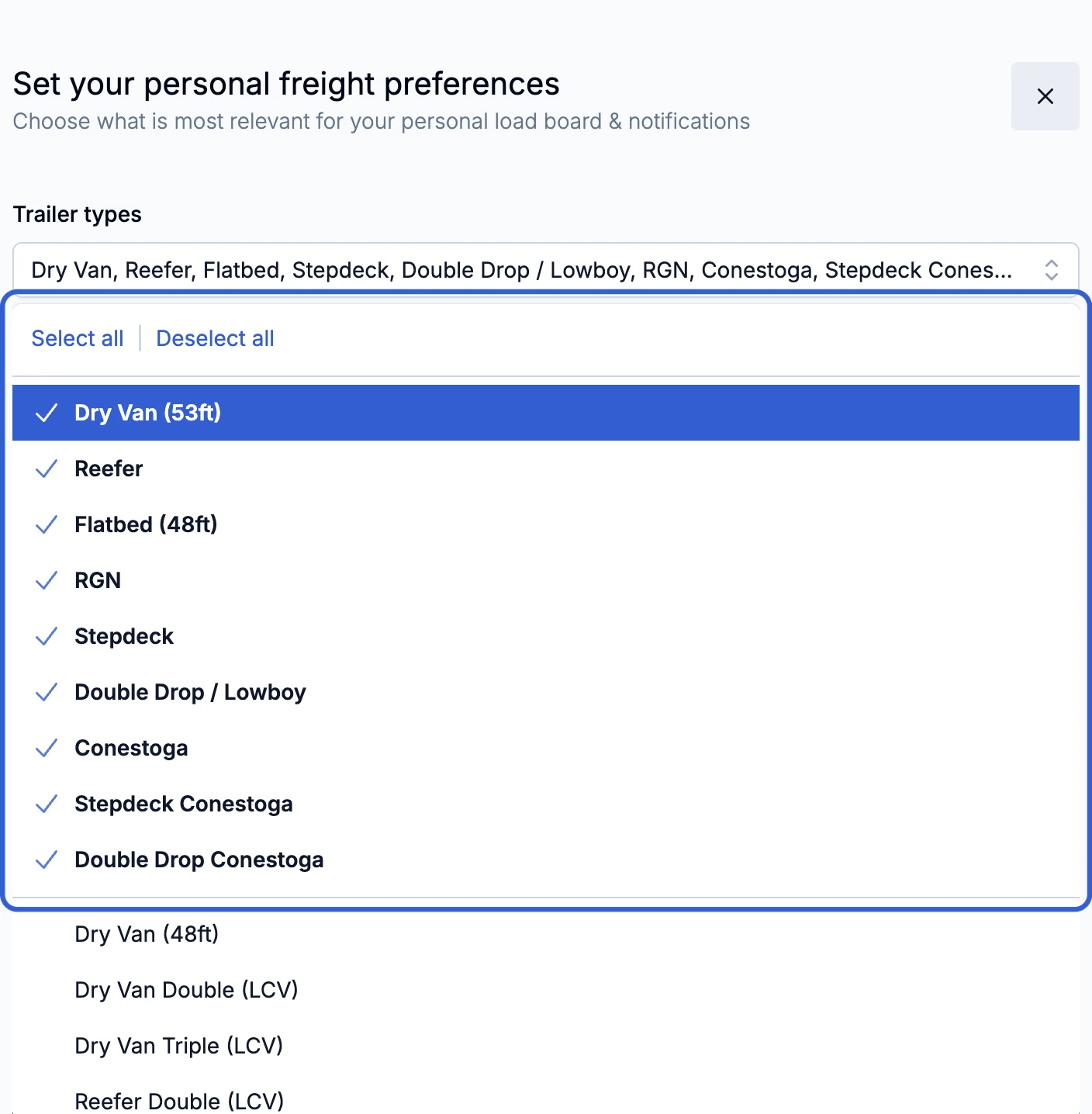
Open Trailer types to check or uncheck each type, or use Select all and Deselect all.
Step 3: Choose the trailer when you post a truck
In the Post a truck window, choose the Trailer type. A posted truck has one trailer type. Post one truck for each type you have free. See How do I post an empty truck?
Step 4: Change the trailer for one search
Click the search bar. A Trailer type field opens above it, next to Date. It starts from your preferences. Change it to search for a different trailer this time only. Your preferences stay the same.

For the other filters, see Filter the freight you see: hazmat, trailer, crossing and more.
Good to know
- Your trailers come first: in the trailer list for search and posted trucks, the types on your company profile appear first.
- What the board shows: postings that fit your trailers, routes, crossings and profile come first. When those run out, you see Expanded results: and then All freight:. See How do I set up my company profile so the board shows the right freight?
- Bidding: if a posting asks for a trailer type your profile does not list, the bid card asks you to confirm it first. Enter how many you have and click Update profile. Confirm only trailers you really have. If the card shows no trailer to pick, email carriers@cargado.com with the posting link. See Why you cannot bid on a posting.
- Load details: the Equipment section of a posting shows the trailer and any extra gear the load needs. See What does a posting tell me before I bid?
- Flatbed, oversize and power only: to see how logistics companies post these loads, see Post flatbed, oversize, power-only and other special moves.
Still stuck?
Email us and a person on our team will answer. Send the posting link or a screenshot if you have one.