
Post LTL or partial freight
There is no separate LTL form. Pick Partial truckload (LTL), and give carriers the size so they can tell if it fits.
In 3 steps
Cargado has no separate LTL form. LTL freight is posted as a partial on the standard posting form.
Step 1: Pick Partial truckload (LTL)
In the Mode section of the posting form, pick Partial truckload (LTL). It sits between Full truckload and Power Only.
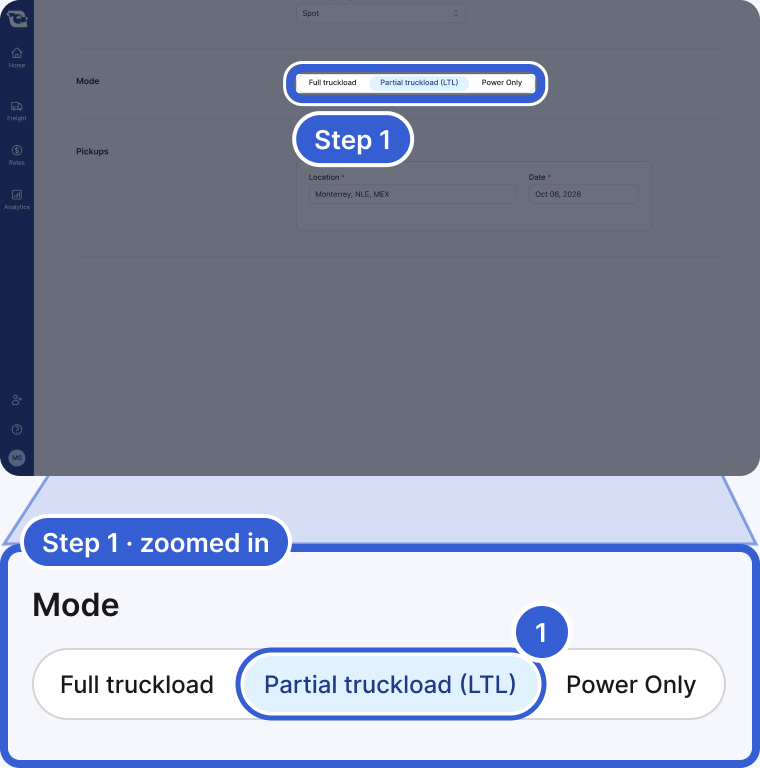
- Partial truckload (LTL): the middle choice in Mode. This is how LTL is posted.
Step 2: Give carriers the size
Carriers looking for partials need to know how much space your freight takes up, measured in linear feet. Under Load Details, enter the weight, then the Packaging Type and Count, and the Dimensions per unit. Check Units are stackable if they are. Cargado works out the Total Linear Feet from those fields and the trailer type you picked, and you can edit the number. Without the size, a carrier cannot tell whether your freight fits the space on their truck.
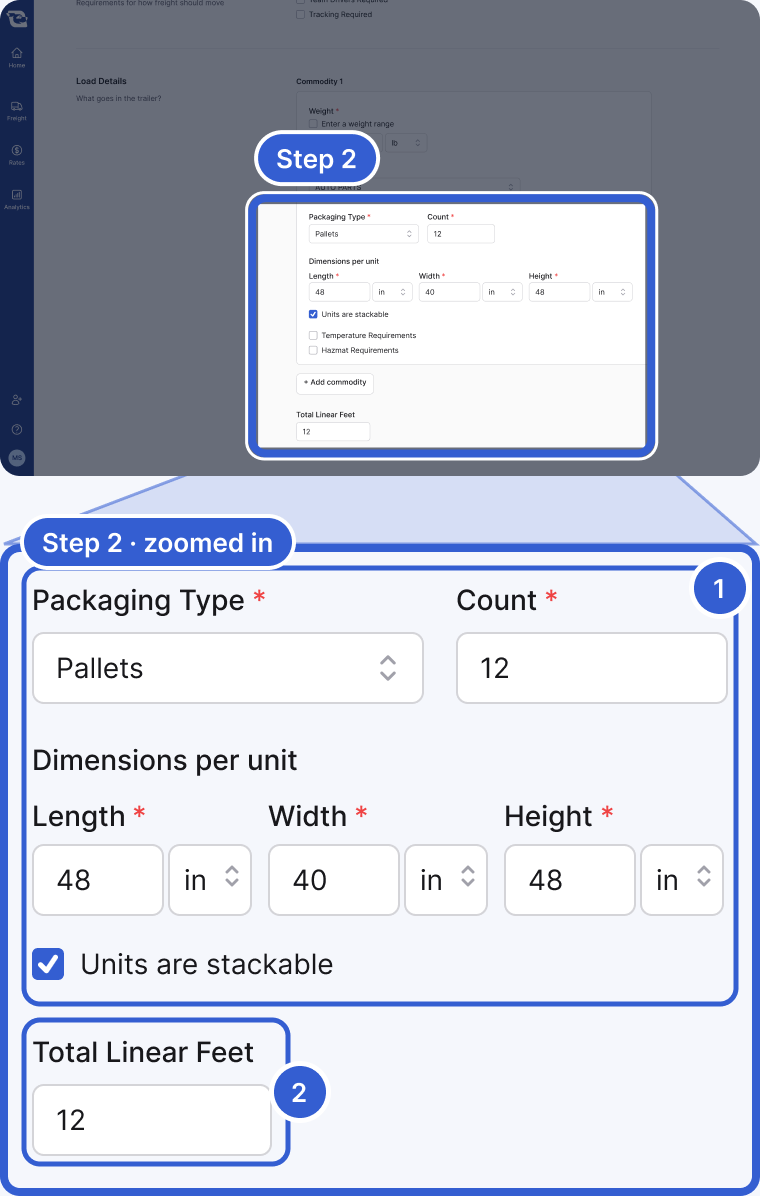
- Packaging Type, Count, Dimensions per unit, Units are stackable: the size of each unit and how many there are.
- Total Linear Feet: Cargado works it out from those fields and your trailer type, and you can change the number. In the example, 12 stackable pallets on a 53 ft dry van come to 12 feet.
Step 3: Check Lift Gate if a lift gate is required
If a lift gate is required at the pickup or the delivery, check Lift Gate under Trailer Requirements. Carriers see it on the posting before they bid.
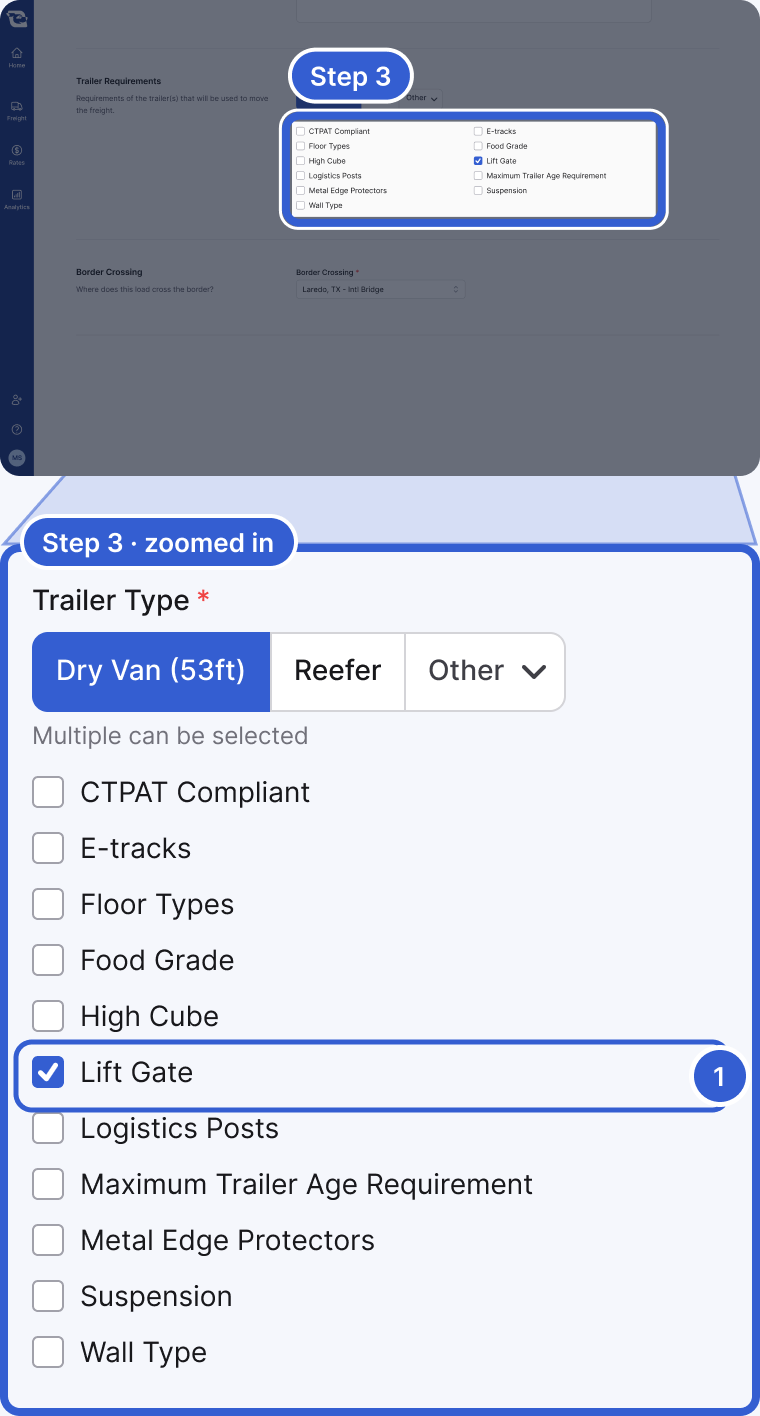
- Lift Gate: one of the trailer requirement checkboxes, below Trailer Type.
Tip: If your freight needs the whole trailer, post it as a Full truckload even if it is light.
Good to know
- The other modes: the same Mode choice also offers Full truckload and Power Only. For flatbed, oversize and power-only moves, see Post flatbed, oversize, power-only and other special moves.
Still stuck?
Email us and a person on our team will answer. Send the posting link or a screenshot if you have one.