
Post flatbed, oversize, power-only and other special moves
Flatbed, RGN, oversize and power-only moves post on the standard form. Transload and container drayage have no posting type, and tanker is not supported.
In 2 steps
Flatbed, RGN, oversize, overweight and power-only moves all post on the standard posting form. Power-only is its own path; it comes after the two steps.
Step 1: Pick an open-deck Trailer Type
Under Trailer Requirements, find Trailer Type. Open the Other list. It holds the other trailer types available for your route. Pick the open-deck type you need: Flatbed, Stepdeck, Double Drop / Lowboy, RGN or one of the three Conestoga types.
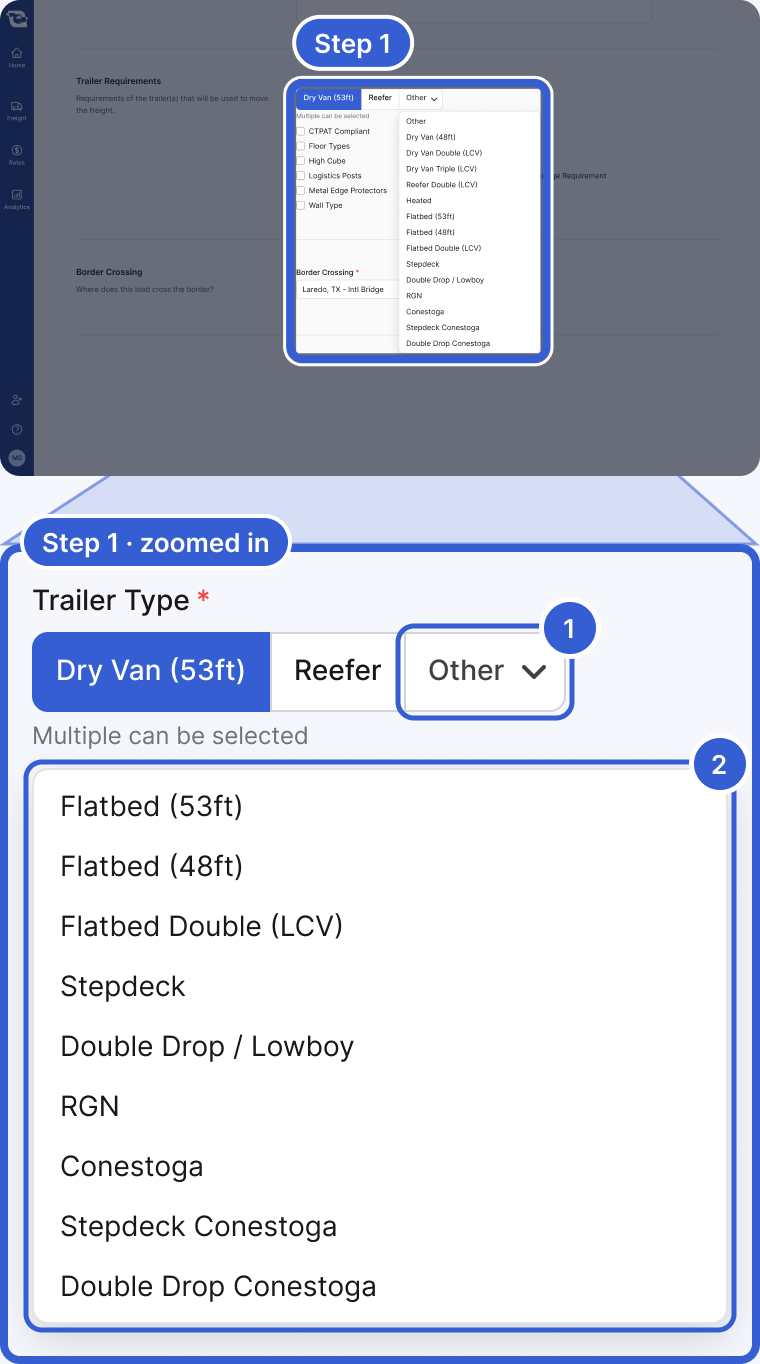
- Other: the trailer types for your route that are not already shown as buttons.
- The open-deck types on this route: Flatbed (53ft), Flatbed (48ft), Flatbed Double (LCV), Stepdeck, Double Drop / Lowboy, RGN, Conestoga, Stepdeck Conestoga and Double Drop Conestoga. You can pick more than one.
Step 2: Enter the real dimensions and weight
Under Load Details, enter the real weight. Then enter Length, Width and Height under Dimension Requirements. You do not check a box. Cargado adds the Oversize flag on its own once the dimensions cross a threshold. It adds Overweight on its own once the total weight crosses one.
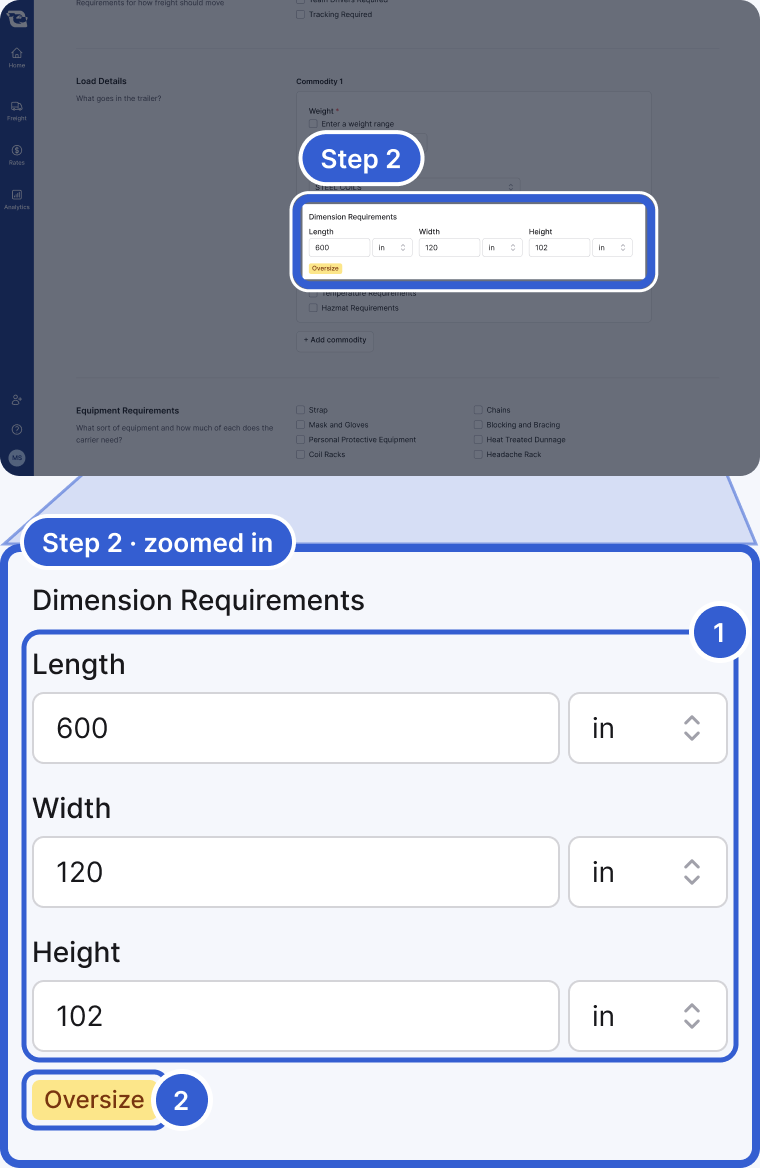
- Length, Width, Height: enter the real numbers.
- Oversize: appears on its own once the dimensions cross the threshold. Overweight works the same way with the weight.
Important: Overall dimensions are captured when you pick an open-deck trailer type and the posting is not a partial truckload: Full truckload, or Power Only with the Pre-loaded type. On a partial truckload, enter per-piece dimensions instead.
Tip: For LTL or partial-truckload freight, see Post LTL or partial freight.
Power-only moves
Power-only is its own path, not a third step. In the Mode section, pick Power Only. It sits next to Full truckload and Partial truckload (LTL). Then pick a Power Only Type: pre-loaded, load-out or tow-away.
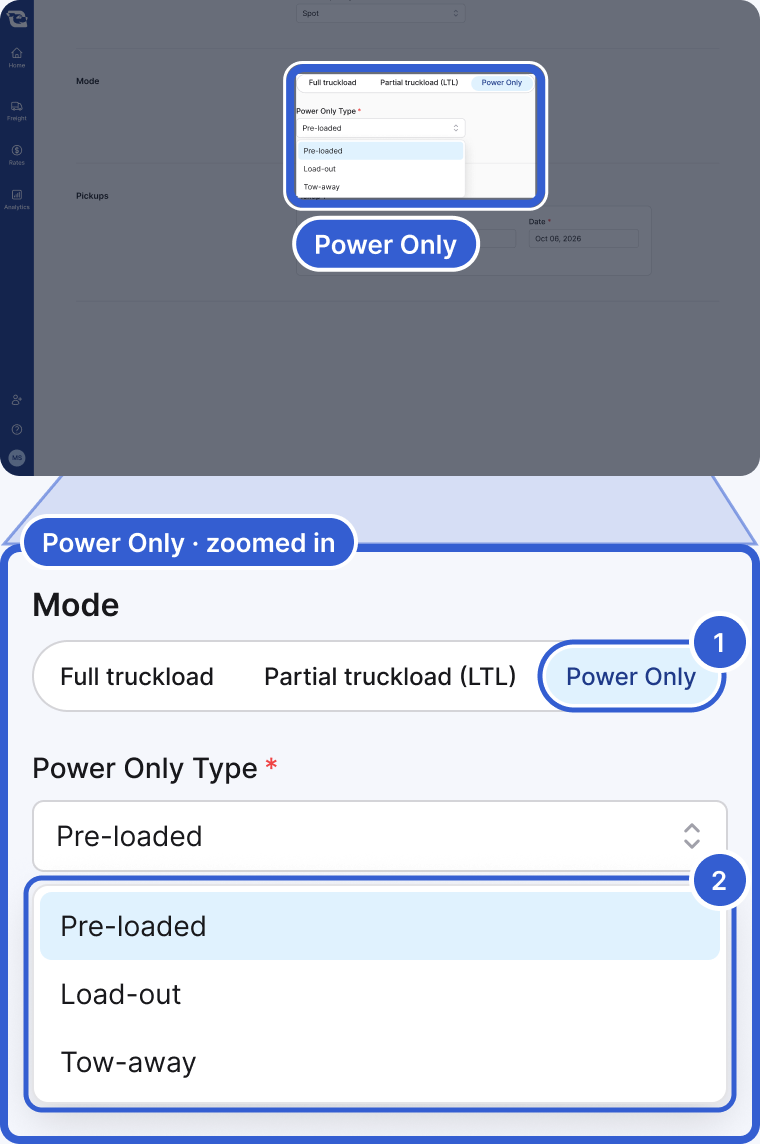
- Power Only: the third choice in Mode. Switching to it changes the trailer selector, and only the first trailer type you had selected is kept.
- Power Only Type: Pre-loaded, Load-out or Tow-away. Load-out and Tow-away hide Load Details.
Good to know
- Equipment requirements: also under Trailer Requirements. You can ask for Food Grade, E-tracks, Logistics Posts, Metal Edge Protectors, Lift Gate, a Maximum Trailer Age Requirement, Minimum Axles, floor and wall types, and more. The options depend on the trailer type you picked.
- Transload: there is no posting type for a transload.
- Container drayage: there is no dedicated posting for it.
- Tanker: not a supported trailer type. Cargado does not support tanker moves.
Still stuck?
Email us and a person on our team will answer. Send the posting link or a screenshot if you have one.