
Post a round trip or a multi-stop load
Two options on the posting form you already use: the Round Trip checkbox, and extra pickups and deliveries.
In 2 steps
Both are options on the posting form you already use, and both work on all four posting types: load, lane, potential load and potential lane.
Step 1: Check Round Trip
Fill in the outbound pickup and delivery as usual. Then, under Transit Requirements, find Route Details and check Round Trip.
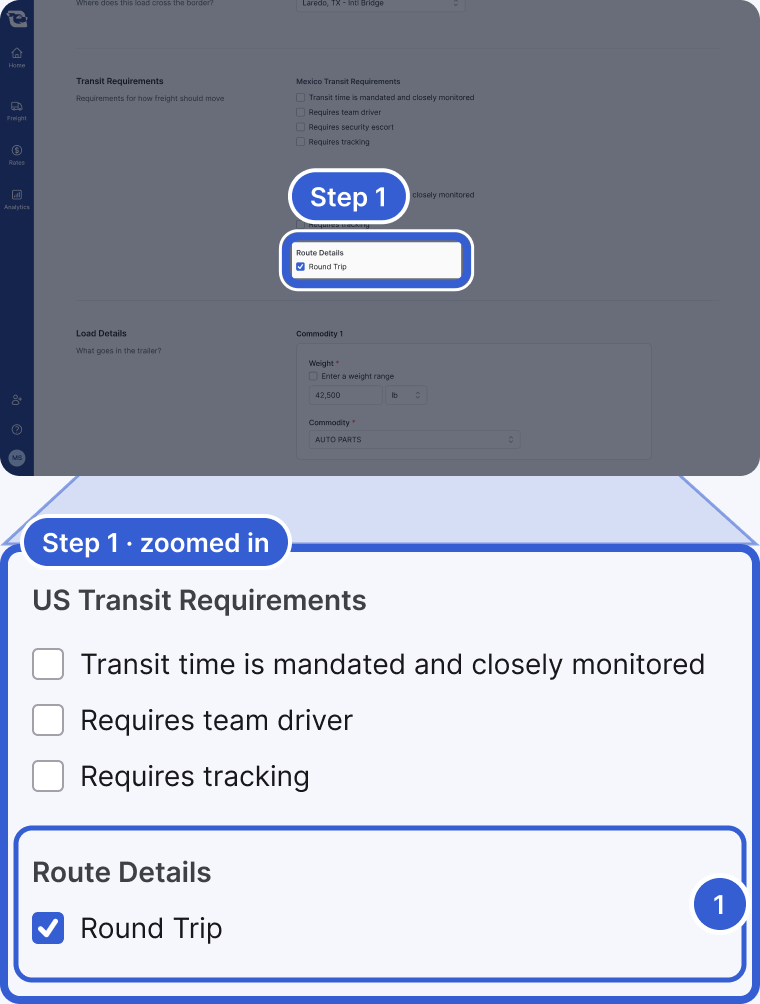
- Round Trip: under Route Details, below the transit requirements for the countries on your route.
You do not enter the return separately. The return runs from your delivery back to your pickup, and the distance shown on the posting is the outbound distance doubled.
Step 2: Add extra pickups or deliveries
In Pickups, choose + Add an additional pickup. In Deliveries, choose + Add an additional delivery. Within Pickups, and within Deliveries, add the stops in the order the truck will run them.
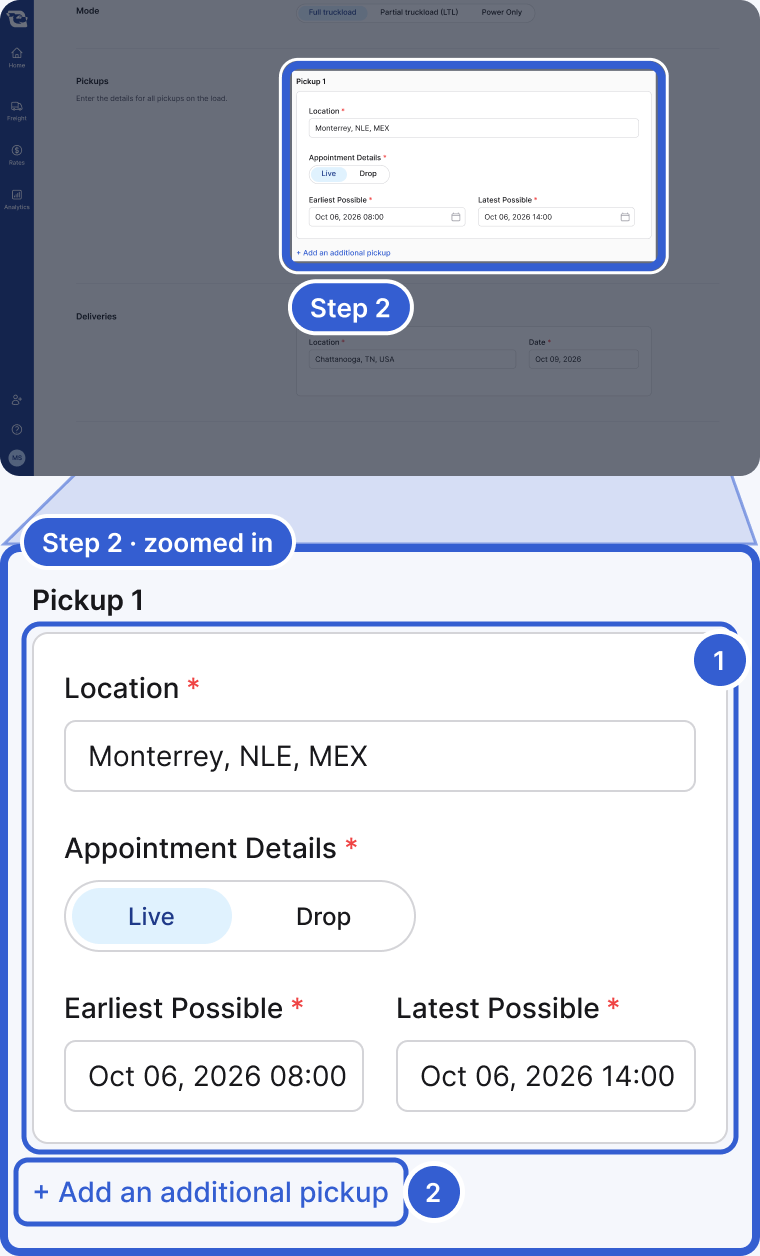
- Pickup 1: the first stop, with its location and appointment details.
- + Add an additional pickup: below the last pickup. Deliveries work the same way.
Once a posting has more than two pickup and delivery stops (a border crossing does not count), carriers see a Multistop badge on it.
Tip: The two combine. A multi-stop load can also be a round trip.
After you post
Carriers see a Round Trip badge on the posting before they bid.
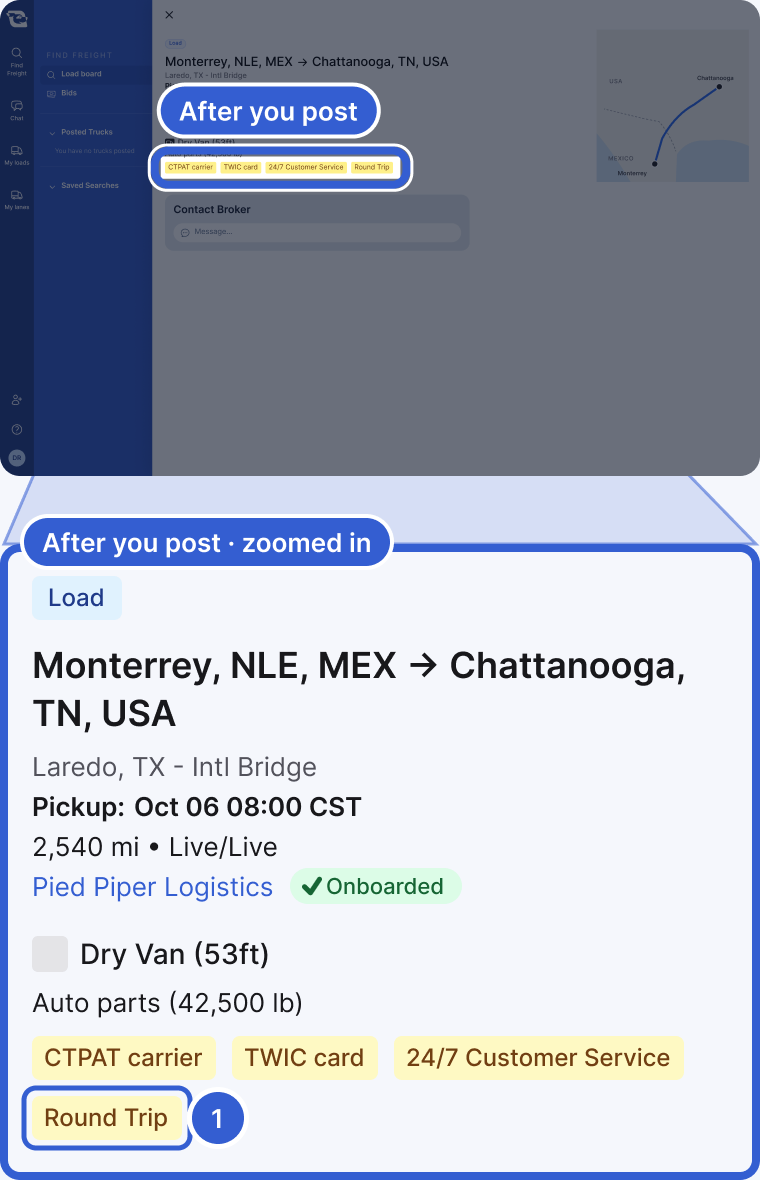
- Round Trip: shown with the posting's other badges. Multistop appears the same way once there are more than two pickup and delivery stops.
Good to know
- For carriers: check for the Round Trip and Multistop badges before you bid, and price every leg you are bidding on, out and back, not just the first pickup and last delivery. Any portion the broker has already assigned is not part of your bid.
Still stuck?
Email us and a person on our team will answer. Send the posting link or a screenshot if you have one.