
How do I bid on a load or lane?
Open a posting from the Load board. Book now at the pre-approved rate if one is shown, or enter your rate and choose Submit bid.
In 3 steps
Step 1: Open a posting
On the Load board, click a posting. Check the route, the pickup time and the requirements before you bid.
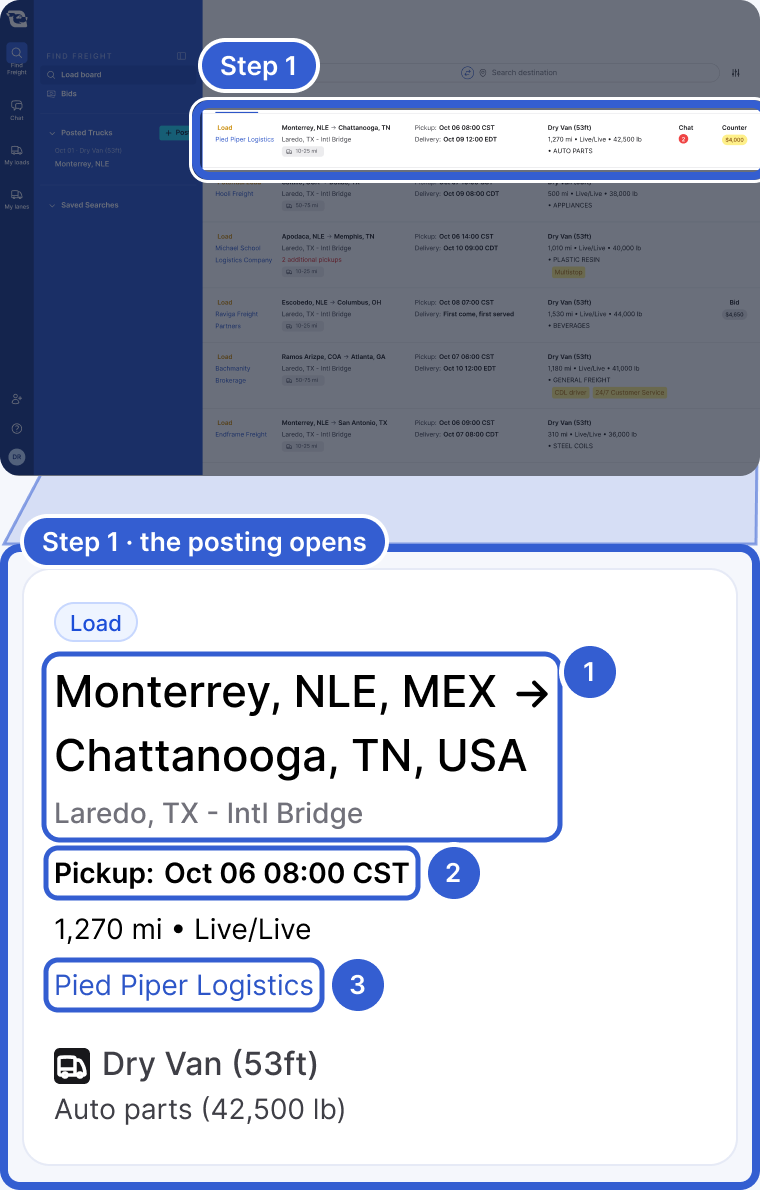
- The route and the border crossing.
- The pickup date and time.
- The logistics company that posted it.
Step 2: Book now at the rate shown
Some postings have a button like Book now for USD $3,950. The logistics company already approved that rate. Choose the button, check the Total, then choose Confirm book now. You see Rate Accepted!
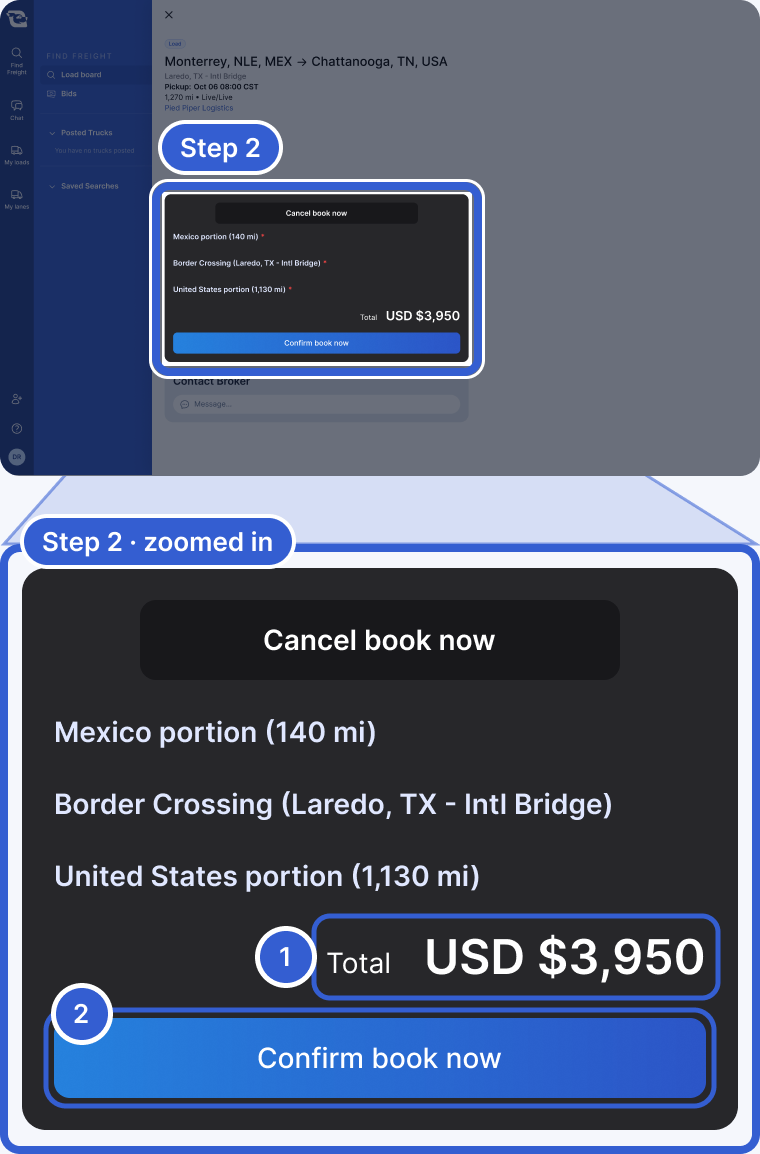
- Total: the rate you are booking.
- Confirm book now: books it at that rate.
Changed your mind? Choose Cancel book now. No Book now button? Go to step 3.
Step 3: Or enter your rate and submit
Type your rate in each box. Then choose Submit bid.
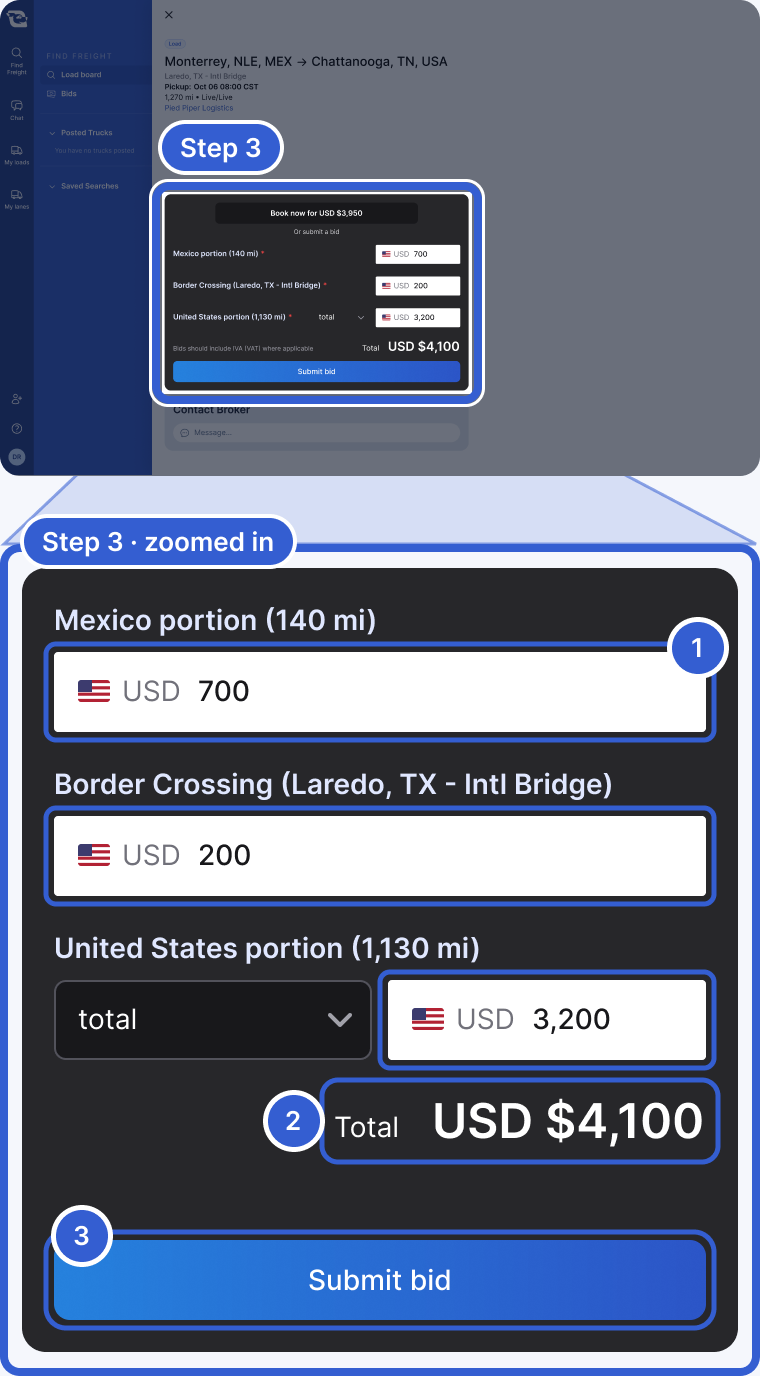
- One box for each part of the trip. On this cross-border load: Mexico, the border crossing and the U.S.
- Total: the full amount of your bid. Include IVA when it applies.
- Submit bid: sends your bid.
Important: If the posting has a Book now rate, your bid has to be higher than that rate.
Tip: Not sure what to bid? If you see Rates in your left menu, look up the lane there. See market rates for carriers.
After you bid
When your bid goes to the logistics company, you see Bid submitted! You get a notification when they answer.
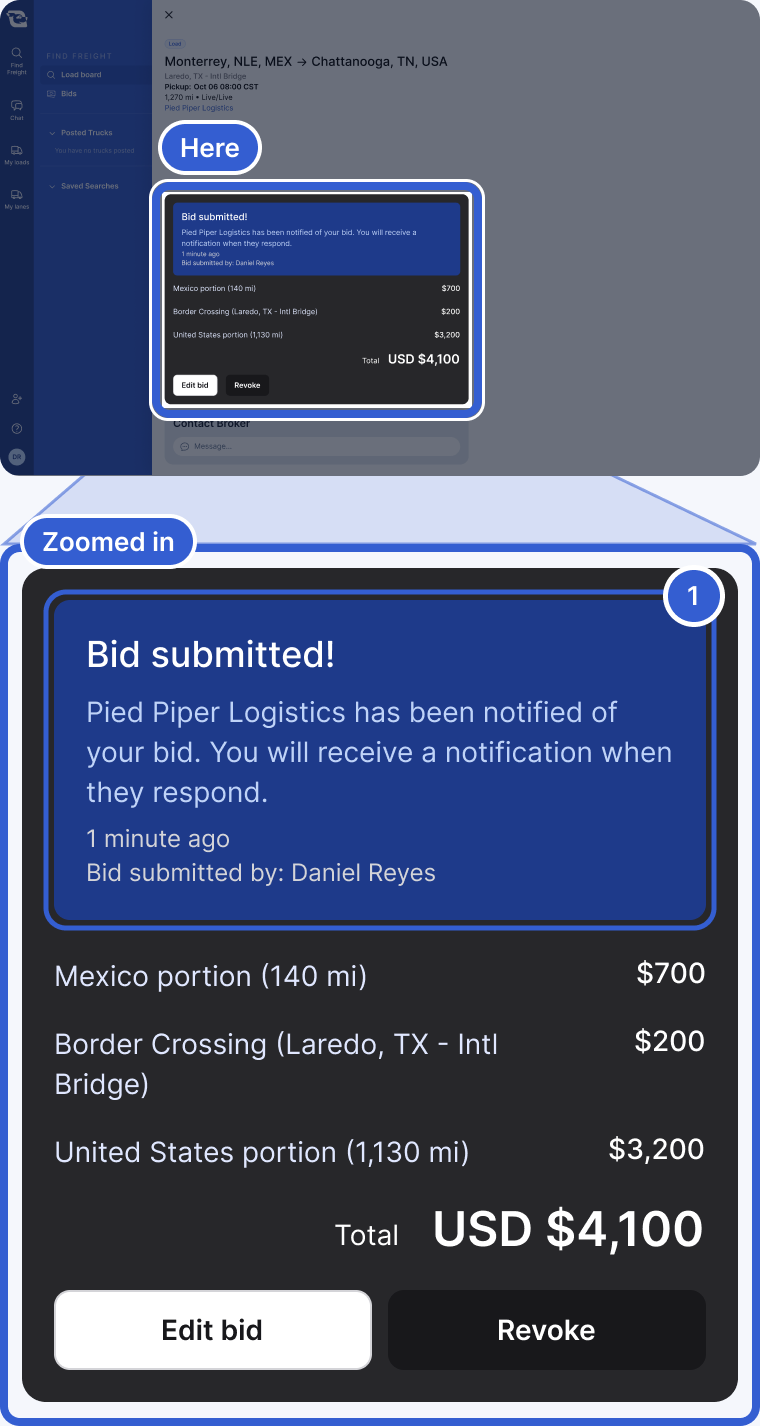
- Your bid is with the logistics company.
Send a note
Want to say where your empty truck is? Click Message... under Contact Broker. Your chat opens. Type your note there.
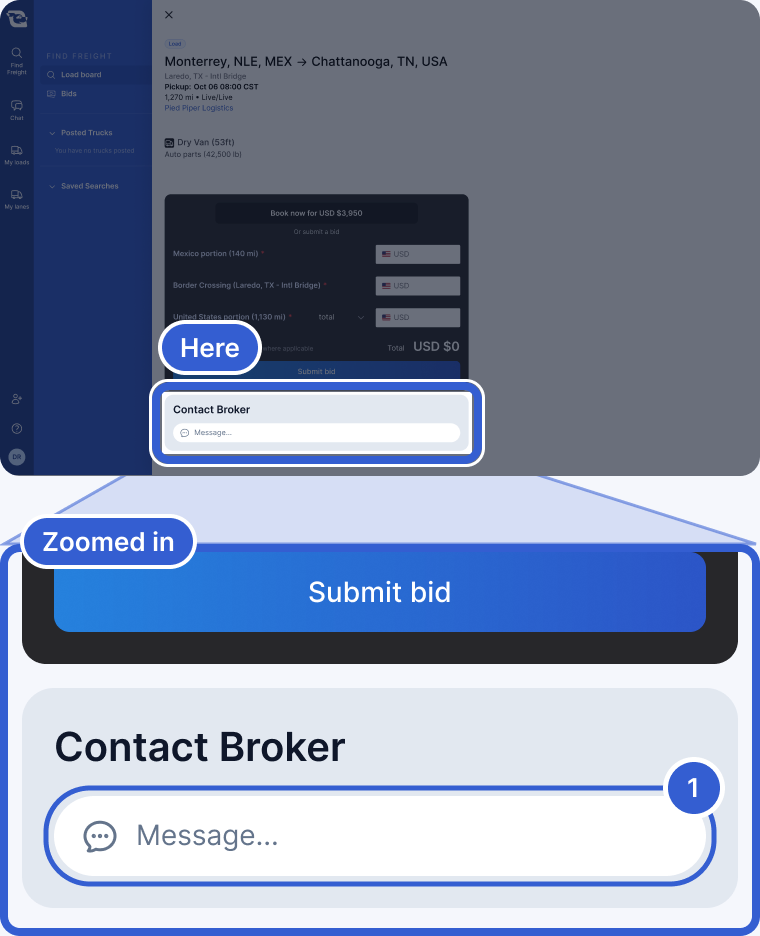
- Opens your chat with the logistics company.
Good to know
- Lanes: also enter how many loads you can take.
- Quick answers: some bids are accepted, countered or rejected right away.
- Change your mind: while you wait, choose Edit bid or Revoke.
- All your bids: open Bids in the menu. See How do I answer a counteroffer?
- Potential Load or Potential Lane: the logistics company has not won this freight yet. It may not turn into a load.
- No bid card? See Why can’t I bid on a posting?
Still stuck?
Email us and a person on our team will answer. Send the posting link or a screenshot if you have one.