
Which border crossing should I put on a posting?
The crossing field shows only on routes between Mexico and the U.S. or Canada, is required, and helps decide which carriers are suggested and notified.
In 2 steps
The crossing you set on a posting is one of the inputs Cargado compares with carrier profiles, and carriers can list the crossings they run. So this field shapes which carriers are suggested and notified for a cross-border posting.
Step 1: Pick one crossing from the list
On a cross-border posting, Border Crossing is a single-select field: pick one crossing from the list. You do not have to start from scratch. Cargado looks at your origin, destination and trailer type and lists its recommended crossings first, each marked (recommended). When recommendations load and the field is empty, Cargado selects the first enabled recommendation. You can change it before posting.
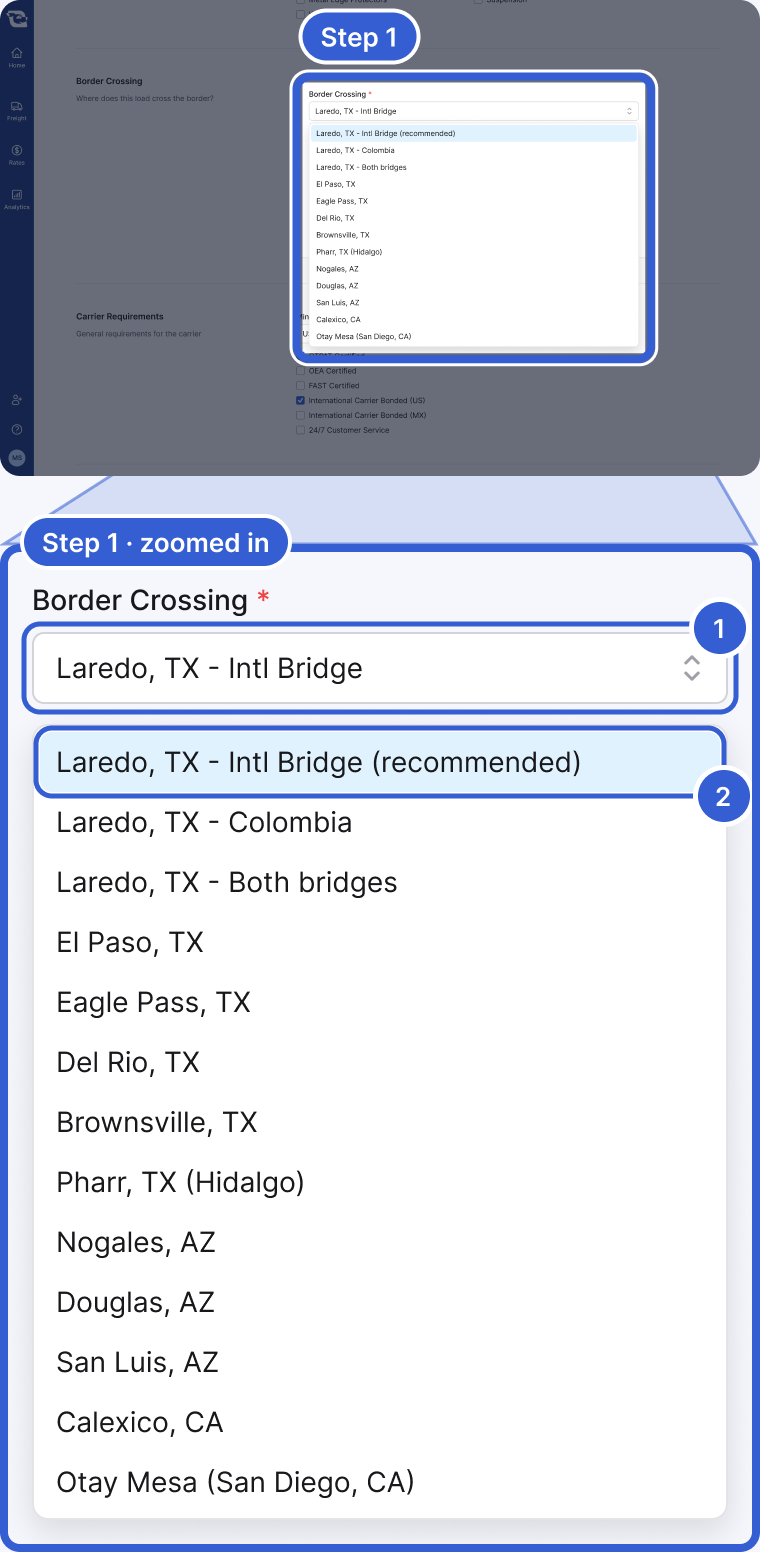
- Border Crossing: one crossing per posting. It only appears when the route runs between Mexico and the U.S. or Canada.
- (recommended): Cargado's recommendations for this origin, destination and trailer, listed first; there can be more than one. Keep the selection unless you know carriers on the lane run another crossing.
Important: You cannot leave the field blank. If you try to post without a crossing, Cargado blocks the posting with Border crossing is required.
Step 2: Set the crossing time and inspections
The same section asks for the Typical border crossing time, in minutes, hours or days. If the freight needs inspections at the border, choose + Edit Inspections and check them under Inspections Required. The list covers U.S. and Mexican agencies, such as USDA, FDA, CBP agriculture, SENASICA and SADER, plus a tequila certificate of origin.
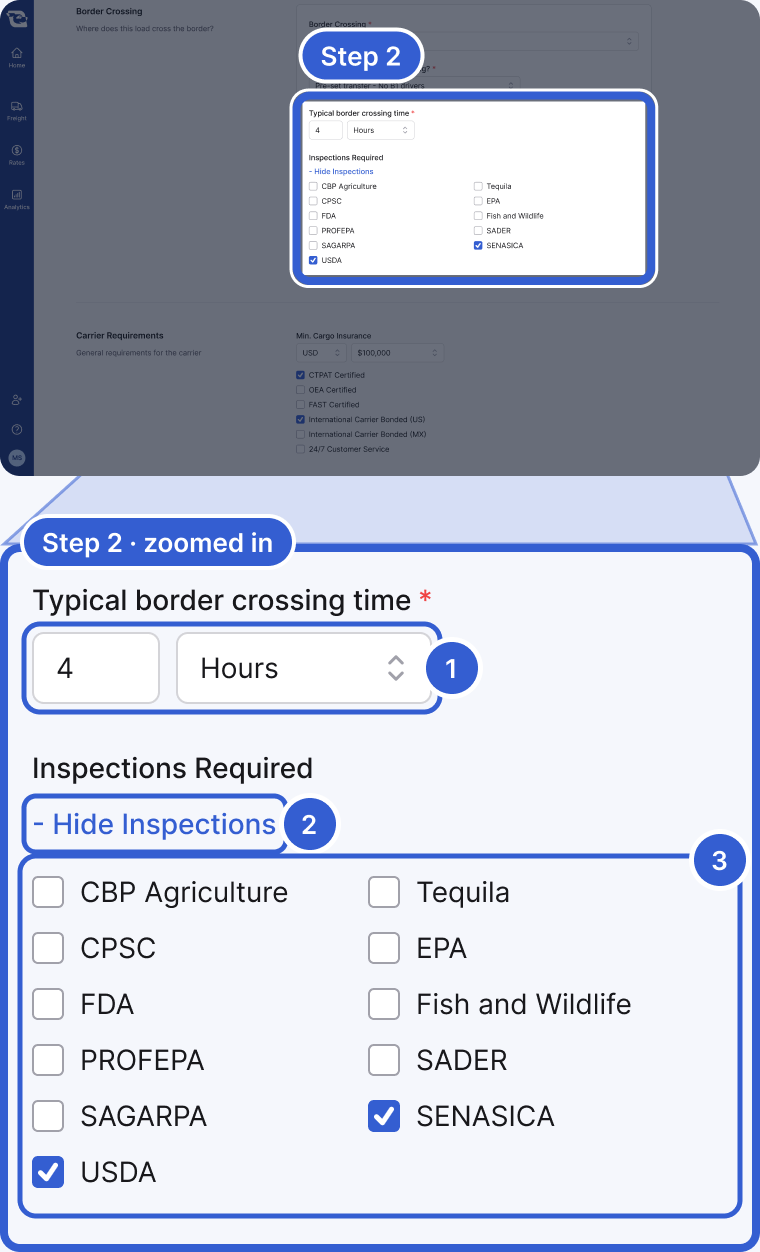
- Typical border crossing time: how long you expect the crossing to take for this freight. Enter it in minutes, hours or days.
- - Hide Inspections: the same link reads + Edit Inspections while the list is closed.
- Inspections Required: check every agency the load needs; in this example, SENASICA and USDA.
Tip: Carriers see the crossing time and the inspections on the posting, so enter what you actually expect.
Good to know
- When the field shows up: Cargado only shows a Border Crossing section on a posting whose route runs between Mexico and the U.S. or Canada. A domestic move, or a route between the U.S. and Canada only, never shows the field at all.
- What it does to who sees your posting: A carrier's profile can list the crossings they run. That list does three separate things. It seeds the carrier's own search preferences, which they can customize, and some parts of their search results relax the crossing filter. In matching, Cargado compares your posting's crossing with the carrier's crossing preference: a carrier who set specific crossings that do not include yours fails that check, and a carrier with no crossing preference passes it. Notifications then follow their own routing on top of matching, including the carrier's settings and Cargado's ranking. So the crossing shapes who is suggested and notified; it does not decide it alone.
- Getting it right: A recommended crossing is a reasonable starting point. If you have reason to think carriers on a lane run a different crossing, or you are not sure, message a few suggested carriers from the Coverage panel and ask which crossing they run before you commit to one. See Why isn't my posting getting bids? if a cross-border posting is already sitting quiet.
Still stuck?
Email us and a person on our team will answer. Send the posting link or a screenshot if you have one.