
How you get paid after you win a load
Cargado does not pay for the load. What happens between the match and your invoice, and who to ask about payment.
In 4 steps
- Ask the broker about payment before you bid
- Read the match message when your bid is accepted
- Get the rate confirmation
- Deliver, send your paperwork and invoice
Cargado is a freight marketplace, not a broker, and never handles payment for your loads. Cargado does not pay you for the load, and it does not take a cut of it. Payment is between you and the broker that posted the freight, on that broker's terms.
Step 1: Ask the broker about payment before you bid
Want to know a broker's terms before you bid? Message them in the posting's chat and ask how they handle payment. Use Contact Broker on the posting, then Message....
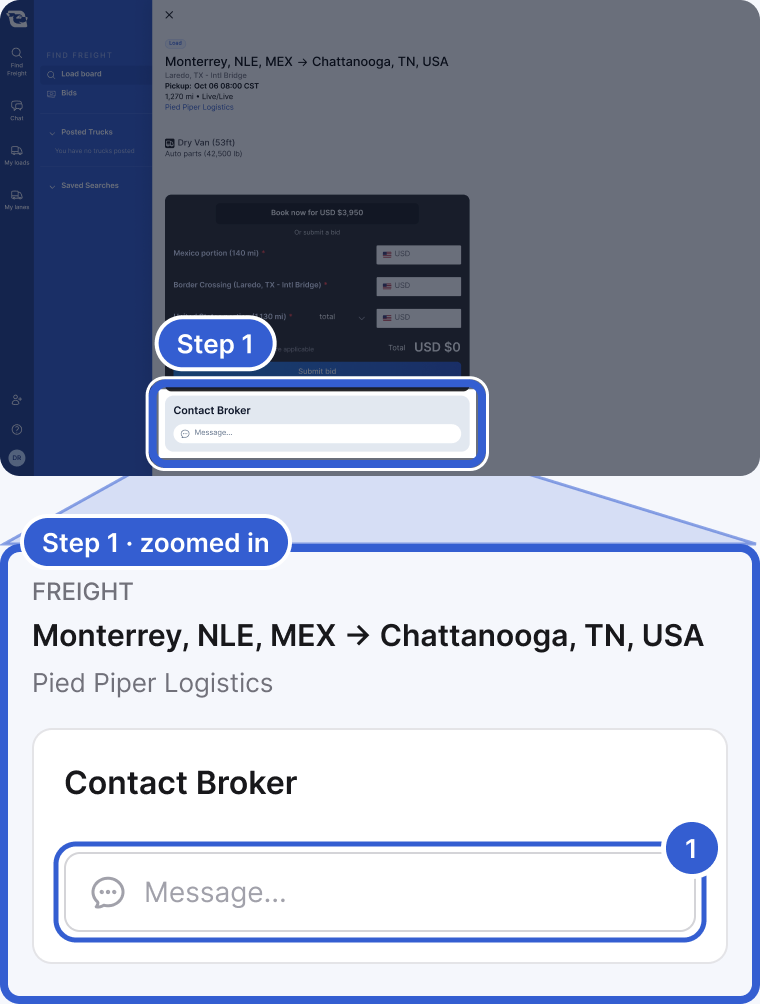
- Message...: opens the posting's chat with the broker. Questions about payment terms go here.
Step 2: Read the match message when your bid is accepted
You and the broker both get a match message in the posting's chat. It shows the bid you agreed on and the next steps. Onboarding with the broker is between you and them: ask the broker whether you need to finish its onboarding before it sends the rate confirmation.
Step 3: Get the rate confirmation
The broker sets your company up in their own system and sends you the rate confirmation. Confirm with the broker what its rate confirmation covers, such as the rate, its payment terms and the paperwork it needs from you.
Step 4: Deliver, send your paperwork and invoice
- Confirm the delivery with the broker.
- Send the paperwork the broker asks for, such as the signed proof of delivery (POD) and the bill of lading (BOL).
- Invoice the broker, the way their rate confirmation or carrier packet tells you to.
Important: Questions about payment timing, quick pay or factoring go to the broker, because those are their terms. Cargado does not offer factoring or quick pay, and we never hold your money.
Good to know
- Payment questions: for a payment question, contact the logistics company that booked the load.
Still stuck?
Email us and a person on our team will answer. Send the posting link or a screenshot if you have one.