
I won the freight. What happens now?
Once your rate is accepted, you onboard with the logistics company if needed and they send a rate confirmation. Find wins under My loads and My lanes.
In 3 steps
Step 1: Read Rate Accepted!
You have a match when the logistics company accepts your bid, when you book with Book now, or when you accept their counteroffer. If it happens while you are on the posting, you see Rate Accepted! with the next steps.
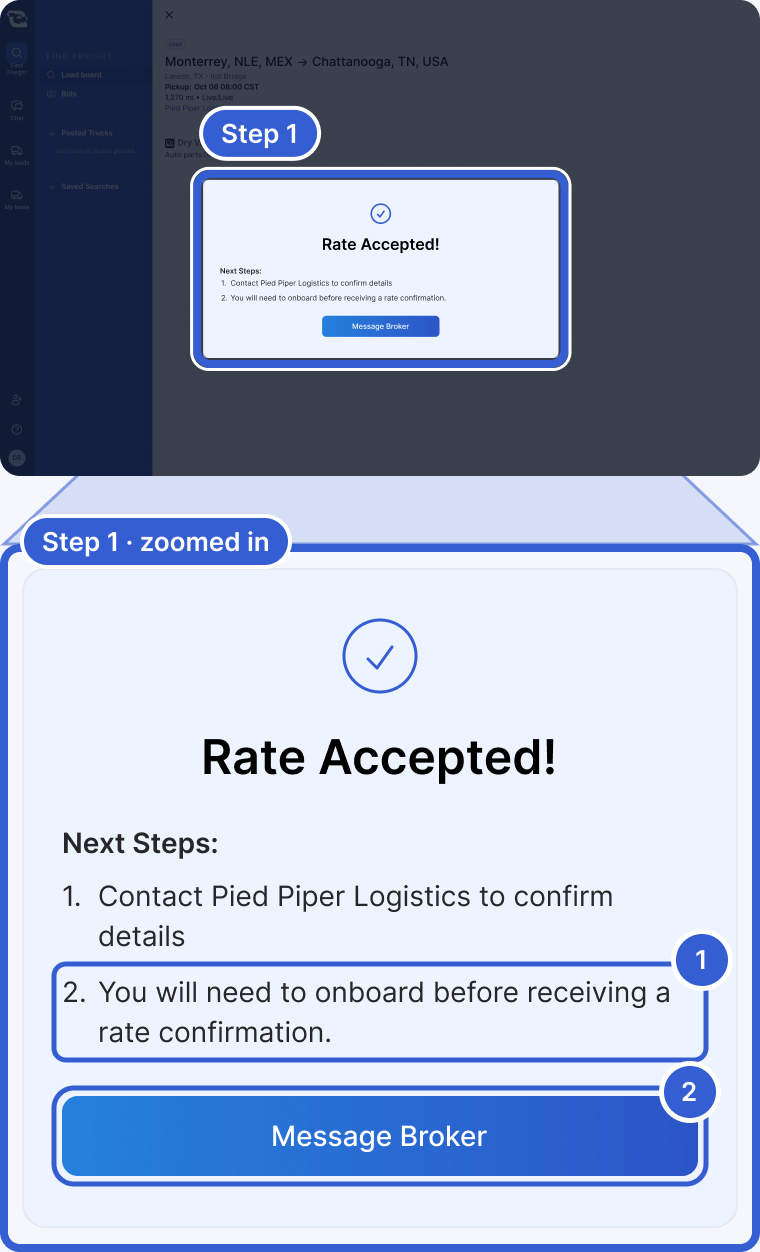
- Your next step. If the logistics company has not onboarded you yet, it says you need to onboard before you get a rate confirmation. If they have, it says they will send one.
- Message Broker: opens your chat with them to confirm the details.
If the logistics company accepts your bid later, you do not see this screen. The posting shows that they accepted your bid, and your chat with them gets a match message.
Step 2: Check the match message in Chat
Your chat with the logistics company shows a match message with the agreed rate. After that, they assign you in their own system and send you a rate confirmation.
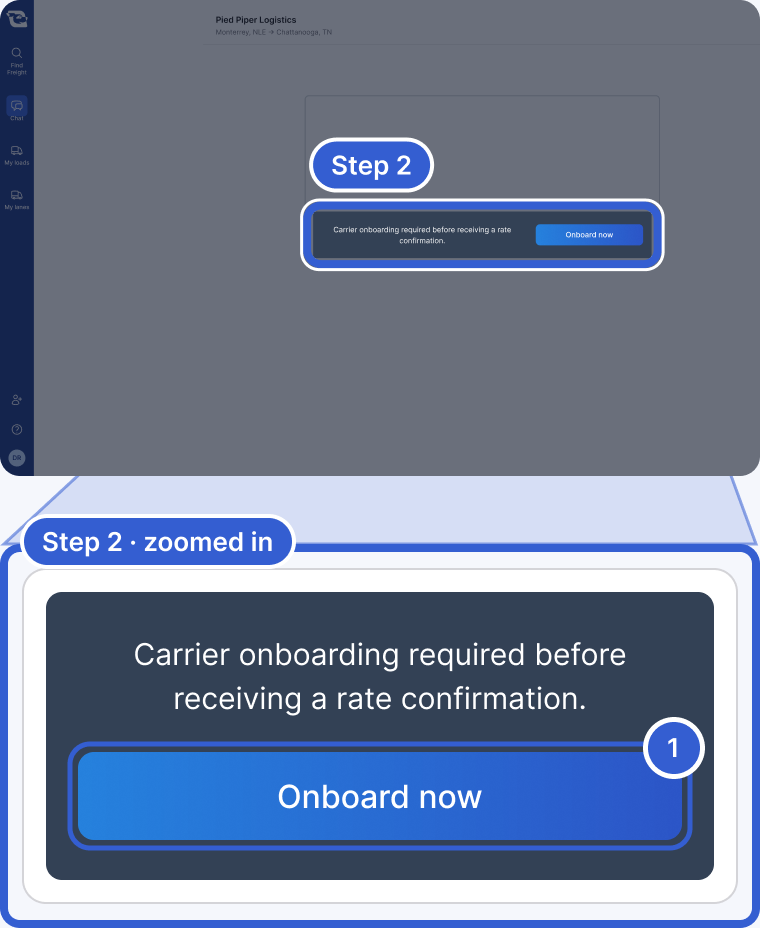
- Onboard now: opens their onboarding form. If you see it, fill it out before anything else.
Once the rate is accepted, phone numbers and email addresses are no longer blocked in that chat. See How does chat with a logistics company work?
Step 3: Find your wins in My loads and My lanes
My loads in the left menu lists the loads you won. Until you win one, it says "No booked loads yet." My lanes lists the lanes you won.
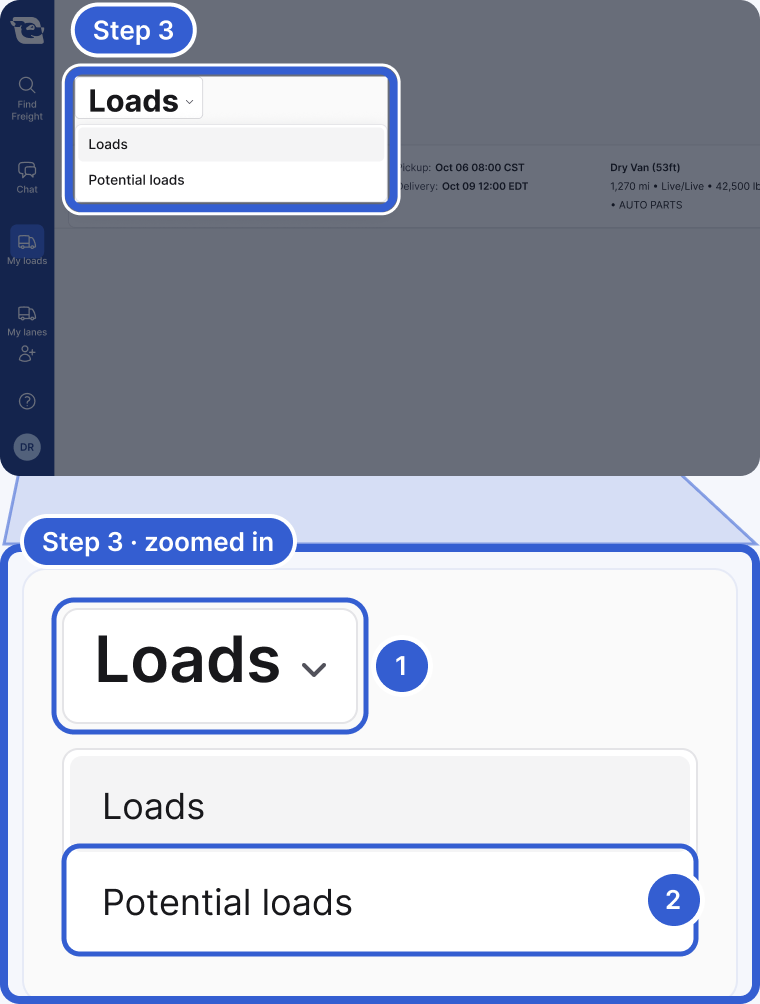
- The page title is a menu.
- Potential loads: the potential postings where your bid was used. On My lanes, choose Potential lanes.
Good to know
- Potential Load or Potential Lane: the logistics company has not won that freight from its customer yet. If they use your bid while you are on the posting, you see Bid used! instead of Rate Accepted! If they win it, expect to hear from them. It is not a guaranteed load.
- Payment and documents: Cargado does not pay you and does not charge you. Payment terms, invoicing, documents and tracking are worked out between you and the logistics company. Ask them about their payment terms. See How do I get paid after I win a load?
- Counteroffers: see How do I answer a counteroffer?
Still stuck?
Email us and a person on our team will answer. Send the posting link or a screenshot if you have one.