
Plan limits, and what the usage warning emails mean
What counts against your plan, what happens when you reach the limit, and who can lift it.
In 2 steps
Two things are metered against a plan: postings and market rate lookups. Both are counted for your company as a whole, not by user. Some plans also include a set number of seats; your plan's details are under Billing.
Step 1: See your plan under Billing
On desktop, open your profile menu at the bottom-left of the app. Under Organization, choose Billing. It shows what your plan includes.
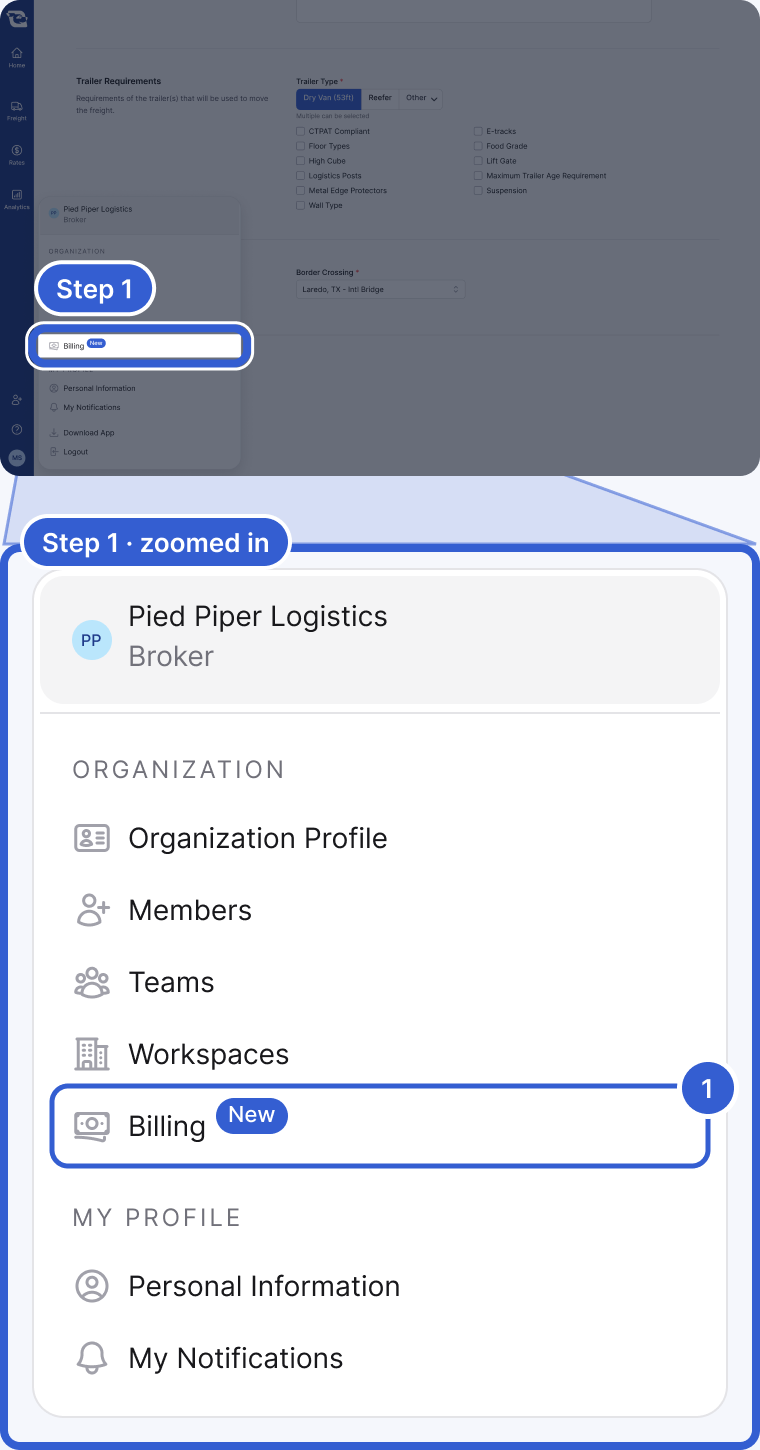
- Billing: what your plan includes. The rows in your menu depend on your account.
Important: If you want to know where you stand against your plan mid-period, ask your success manager.
Step 2: At the limit, choose Request on-demand
If your account enforces its limits, reaching one shows a dialog that names the meter and the date the limits reset. If on-demand usage is available on your account, someone with billing permissions can turn it on from there. Anyone else sees a Request on-demand button instead.
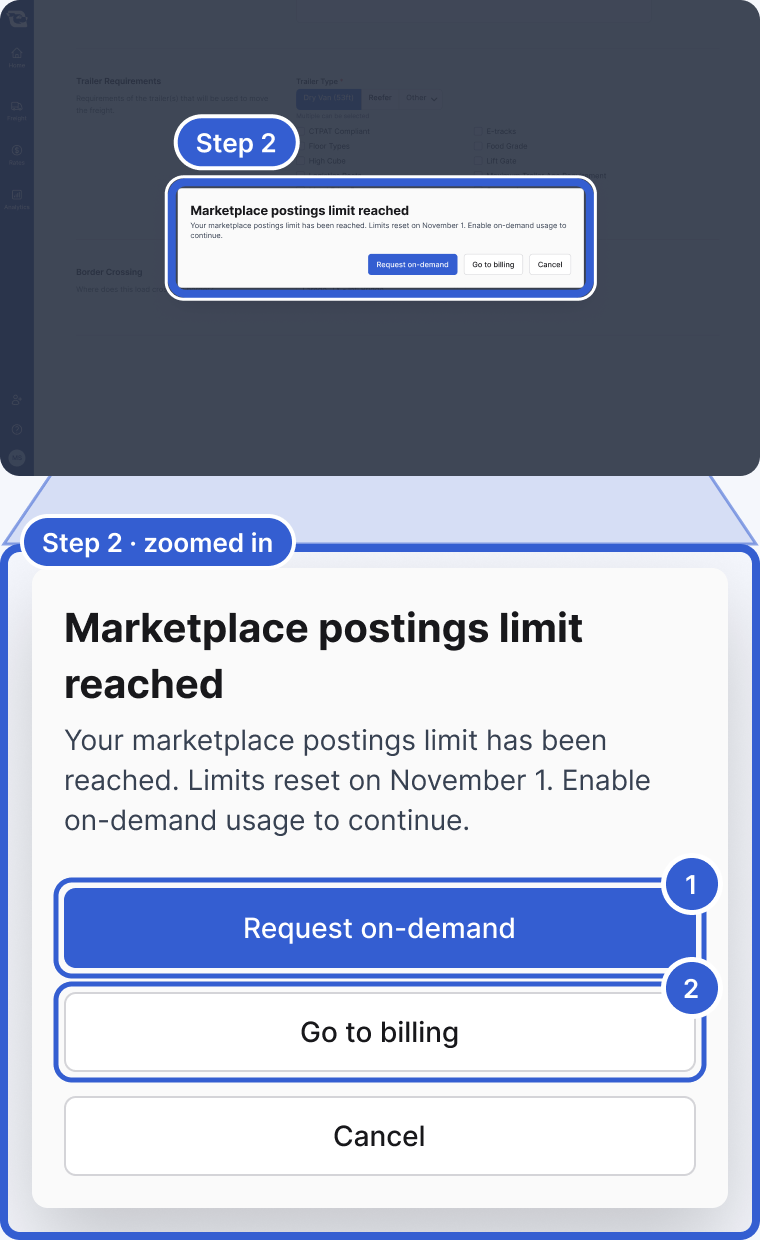
- Request on-demand: emails the Owners and Billing Admins at your own company. It does not go to Cargado, so if nobody at your company acts on it, nothing happens.
- Go to billing: opens the Billing page from step 1.
Tip: If you reach a limit every month, tell your success manager how much you expect to post and look up, so they can review the plan size with you.
Good to know
- What counts as a posting: posting a freight record counts once per calendar month (in UTC), whatever type it is: a Load, a Lane, a Potential Load or a Potential Lane. Posting the same freight record again in the same month does not count a second time. A posting that comes in automatically through an auto-posting rule from your TMS uses the same meter as a posting you create by hand.
- What counts as a market rate lookup: a lookup that returns a rate counts once for its combination of origin market, destination market, trailer category, crossing and rate data version. The date range you ask for is not part of the count. Repeating a lookup that already counted returns the same result and does not count again. Rates refresh weekly, so after a refresh the next lookup on that lane counts once more. A lookup that fails does not count.
- The warning emails: if your account is on self-serve pricing, Cargado can email your Owners and Billing Admins when you pass 80 percent and again at 100 percent of an included amount. These emails are not guaranteed, so do not rely on them as your only signal. Accounts on a contract or enterprise agreement do not get them.
- What happens at the limit: that depends on how your account is configured. Your account may keep going past the included amount, with the extra billed monthly in arrears as on-demand usage, or it may stop new postings or lookups until the period resets. Ask your success manager which applies to you.
Still stuck?
Email us and a person on our team will answer. Send the posting link or a screenshot if you have one.