
How do I answer a counteroffer or see why a bid was rejected?
Open Bids, click a bid marked Counter, then accept, counter or reject. A Rejected bid means the rate was not taken; you can bid again.
In 3 steps
Step 1: Open Bids
In Find Freight, choose Bids in the blue sidebar. The list shows your bids on postings that are still active.
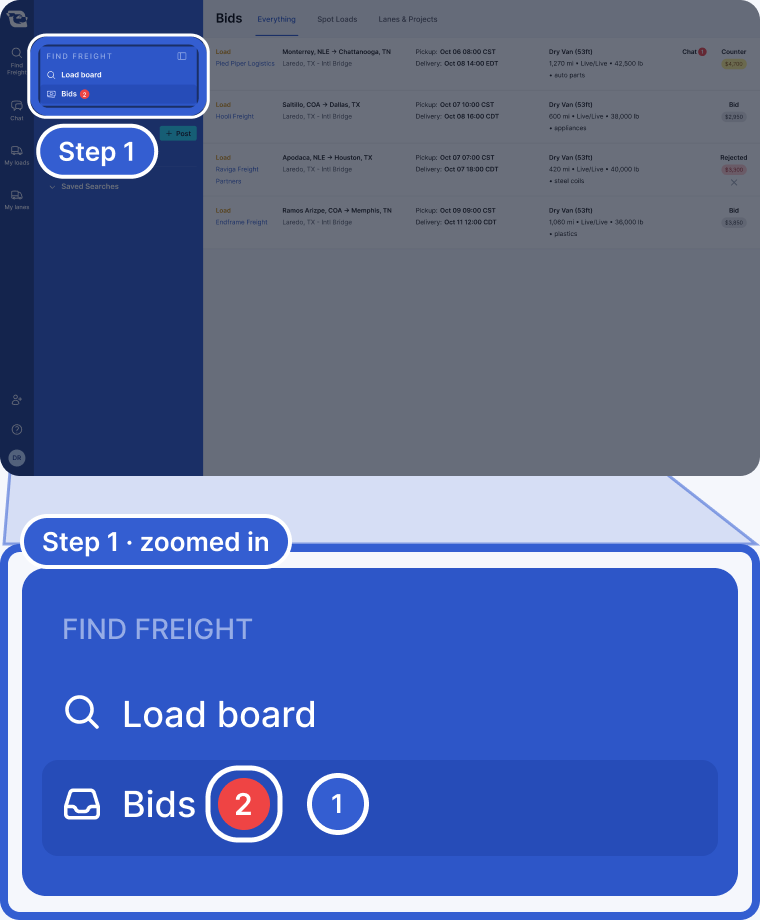
- The red number counts bids that need a look from you, such as a counteroffer waiting for your answer or a rejected bid.
Step 2: Open a bid marked Counter
Each row shows where the bid stands. Click a row marked Counter. The posting opens with your bid card on it.

- Counter, with the new amount in yellow: the logistics company sent a different rate. It is your turn.
- Bid, with your amount in gray: your rate, waiting on the logistics company.
- Rejected, with your amount in red: the logistics company did not take your rate. The X takes it off your list.
Step 3: Accept, counter or reject
The card names the logistics company, says it sent a counter offer and shows its rate. Choose one of the three buttons.
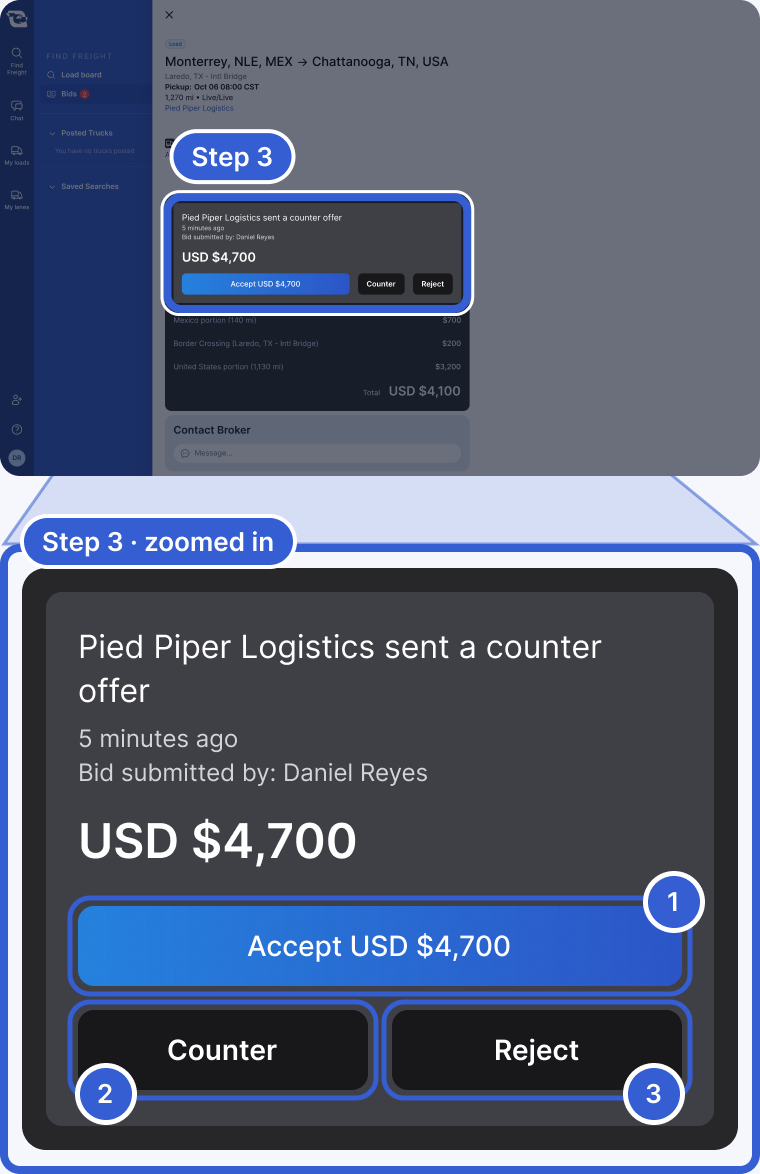
- Accept USD $4,700: takes their rate. Confirm to finish.
- Counter: enter your new amount and choose Submit counter. This sends a new bid at your amount. Cancel counter leaves their counteroffer open.
- Reject: confirm to turn down their rate. You cannot accept it later. Your own bid stays active.
Your counter may get an automatic answer, or the logistics company reviews it. If you reject their rate, you get a notification if they accept your own bid.
Tip: Before you counter, check what the lane usually pays. See market rates for carriers.
After you accept
On a Load or a Lane, you see Rate Accepted! The logistics company sends you a rate confirmation. If you are not set up with them yet, you onboard with them first.
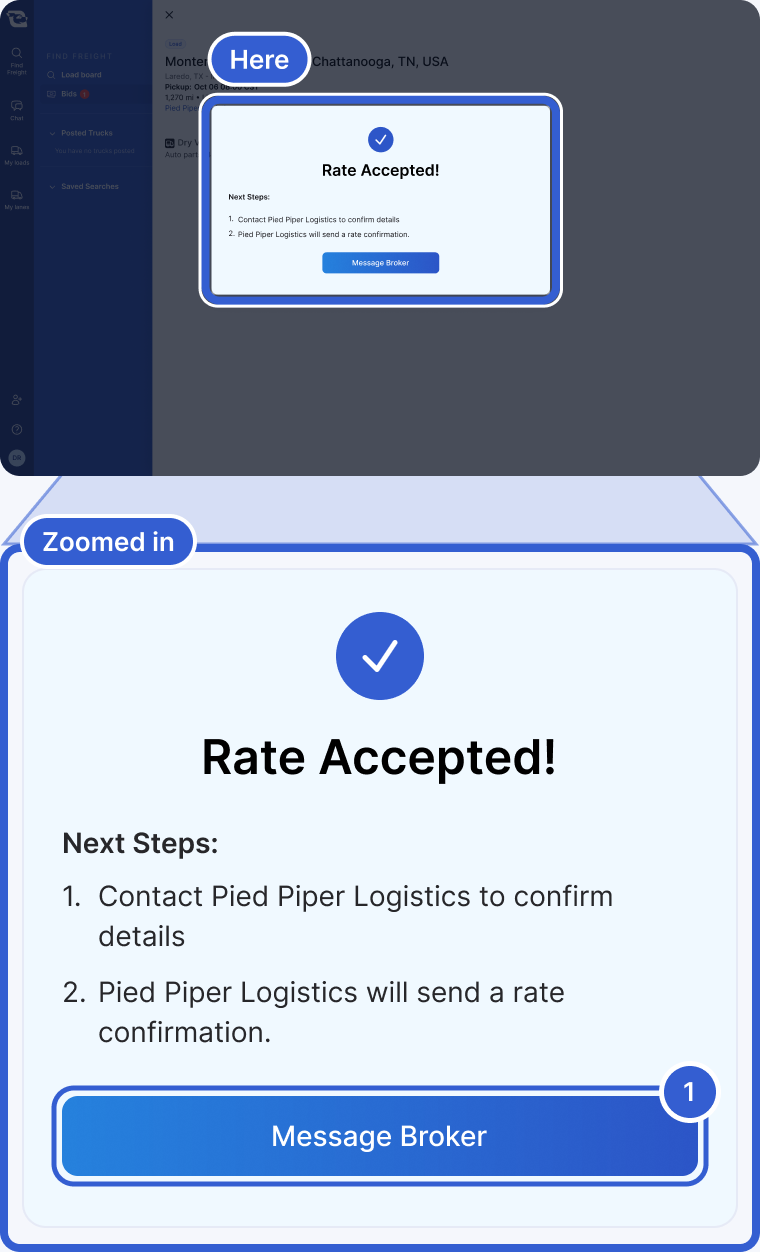
- Message Broker: opens your chat with the logistics company.
On a Potential Load or Potential Lane, you see Bid used! instead. The logistics company uses your rate to bid for that freight. If they win it, expect to hear from them. See I won the freight. What happens now?
If your bid was rejected
A rejected bid means the logistics company did not take your rate. The app does not show a reason when a person rejects it. If a bid is rejected as soon as you submit it, the message says your bid was above the highest rate the logistics company set.
With a rejected bid you can:
- Open the posting and bid again with a new amount, as long as the posting is still up.
- Ask the logistics company about it in the chat.
- Choose the X next to Rejected (Remove from active bids) to take it off your list.
Good to know
- Tabs: Everything, Spot Loads and Lanes & Projects narrow the list.
- Accepted bids: they leave the Bids list.
- Contact details: once a rate is accepted, you can share phone numbers and email addresses in the chat.
- Payment: payment, paperwork and tracking stay between you and the logistics company. See how carriers get paid.
- Can't bid at all? See Why can't I bid on a posting?
Still stuck?
Email us and a person on our team will answer. Send the posting link or a screenshot if you have one.